23 Things You MUST DO After Installing NEW Ubuntu | Ubuntu 23.10


Ksk Royal
View ChannelAbout
Thanks For Looking My about Page. KSK ROYAL is a Tech Channel Where I Will Cover Everything Regarding Technology. I Mostly Post A Videos On How To Install Guides, TroubleShooting Videos, Linux, macOS, windows, Android, iOS Tips & Tricks, Mobile Phone Hacks, Smartphone Secrets, Tips, Tricks, Raspberry Pi and More. 👨💻 I Will Post 2 or 3 Videos Every Week. ✔ If You Have Any Suggestions For Any Feature Video On My Channel Share Your Thoughts In the Comments Section. ✔ *To Support* https://www.buymeacoffee.com/kskroyal ✔ * For Any Business Related Enquiries Contact Me* [email protected]
Video Description
23 Things You MUST DO After Installing New Ubuntu 23.10. If you have installed UBUNTU for the first time and are not sure about what to do or where to begin, this video will guide you through the things YOU MUST do after installing NEW Ubuntu. In this video, I will walk you through the 23 crucial things you must do after installing Ubuntu 23.10. These actions include tweaking the system & user interface, installing useful apps or packages, speeding up the performance, improving battery life on laptops & enhancing the desktop experience, and more. For command List: https://kskroyal.com/23-things-to-do-after-installing-ubuntu/ For demonstration, I will be using brand New Ubuntu 23.10, you can use any Ubuntu version such as 22.04 LTS, 23.04, 20.04 LTS Make sure to watch this video till to the end. If you find this video useful please help me get at least 500 Likes. Now without wasting time let's get into the video. #Things #After #Ubuntu #technology _*TimeStamps*_ 00:00 Introduction 01:17 Enable Additional Repositories 01:45 Replace APT 02:38 Install GPU Drivers 03:17 Use XORG 0r Wayland 04:00 Customise Dock & Ubuntu Desktop 05:03 Use Nightlight & Adjust Display Settings 06:01 Customise Firefox 06:46 Install GnomeTweaks 07:33 Install Gnome Shell Extensions Manager 08:18 Setup Flatpak 09:17 Must Install Packages 09:44 Must Install Apps 10:14 Ubuntu Restricted codecs 10:52 Install SimpleScreenRecorder 11:27 Minimize to click 11:58 Tweak TouchPad Settings 12:32 Setup QEMU / KVM To create Virtual machines 13:17 Install Auto-CPUFREQ 14:48 Setting up Firewall 15:29 Run Windows Apps 16:52 Customize Keyboard Shortcuts 17:45 Use Stacer _*Downloads*_ Ubuntu ISO: https://ubuntu.com/#download RUFUS: http://rufus.ie/en/ _*More UseFul Videos*_ Best Linux Apps 2023 - https://www.youtube.com/watch?v=pXjzAaX_abk Setup QEMU / KVM on Ubuntu - https://www.youtube.com/watch?v=4m6eHhPypWI Best Linux Distros : https://www.youtube.com/watch?v=qcfpBUTLAKw Install Asahi Linux On M1 or M2 Mac Step-By-Step ↪ https://www.youtube.com/watch?v=SoszrV0TG3U Install ubuntu On m1 Mac ↪ https://www.youtube.com/watch?v=1WWj6qoWhJw Install ChromeOS Flex On Any PC / Laptop ↪ https://www.youtube.com/watch?v=HxDQRKqRJ_M Dual Boot popOS & windows 11 - https://www.youtube.com/watch?v=qYqPBrTudUY _*Support My Work*_ http://buymeacoffee.com/kskroyal _*© KSK ROYAL*_ *MereSai*
Upgrade Your Gaming Setup
AI-recommended products based on this video
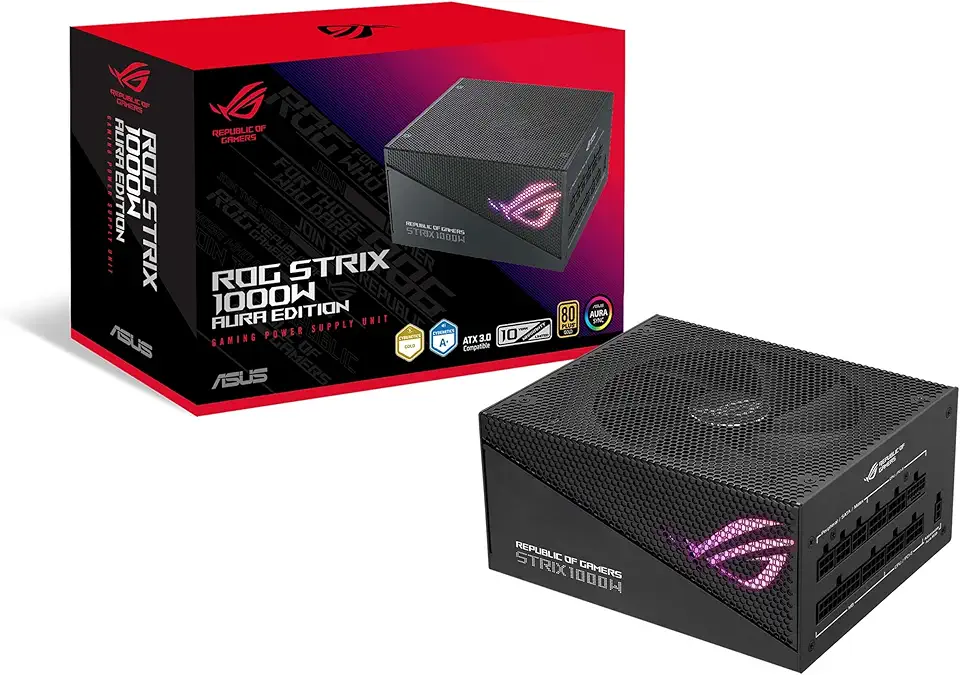
Asus ROG Strix 1000W Gold Aura Edition (Fully Modular Power Supply, 80+ Gold Certified, ATX 3.0, Cybenetics Lambda A+ Certification, PCIe Gen 5.0 Ready, Axial-tech Fan, Aura Sync, 10-Year Warranty)

100W USB C Universal Laptop Charger Fit for Lenovo MacBook HP Dell Acer Asus Thinkpad Google MSI LG Samsung Huawei, ROG Ally, Steam Deck, Chromebook Computer and All USB-C Devices

Logitech M185 Wireless Mouse, 2.4GHz with USB Mini Receiver, 12-Month Battery Life, 1000 DPI Optical Tracking, Ambidextrous, Compatible with PC, Mac, Laptop - Black

Logitech G305 LIGHTSPEED Wireless Gaming Mouse, Hero 12K Sensor, 12,000 DPI, Lightweight, 6 Programmable Buttons, 250h Battery Life, On-Board Memory, PC/Mac - Black

Logitech K400 Plus Wireless Touch TV Keyboard With Easy Media Control and Built-in Touchpad, HTPC Keyboard for PC-connected TV, Windows, Android, Chrome OS, Laptop, Tablet - Black

Logitech G435 Lightspeed and Bluetooth Wireless Gaming Headset - Lightweight Over-Ear Headphones, Built-in mics, 18h Battery, Compatible with Dolby Atmos, PC, Mobile - Black

New SteelSeries Arctis Nova Pro for Xbox Multi-System Gaming Headset - Premium Hi-Fi Drivers - Hi-Res Audio - 360° Spatial - GameDAC Gen 2 - Quad-DAC - ClearCast Gen 2 Mic - Xbox, PC, PS5/PS4, Switch

Razer BlackShark V2 X Gaming Headset: 50mm Drivers - Cardioid Mic - Memory Foam Cushion - Lightweight- Comfortable, Noise Isolating Earcups - for PC, PS4, PS5, Switch - 3.5mm Audio Jack - Black ECOLOGO

CORSAIR iCUE Link XD5 RGB Elite LCD Pump-Reservoir Unit - D5 PWM Pump - 480x480 IPS LCD Screen - 22 Addressable RGB LEDs - 440ml Nylon Reservoir - White

CORSAIR iCUE Link XC7 RGB Elite CPU Water Block - Transparent Flow Chamber - 24 RGB LEDs - Fits Intel® LGA 1700, AMD® AM5 and Older - White

CORSAIR Hydro X Series iCUE Link XH405i Custom Cooling Kit – Hardline Water Cooling Loop – XC7 Elite CPU Water Block – XD5 Elite D5 Pump Res – XR5 360mm Radiator – 3X QX120 RGB Fans