This Elementor Mega Menu Setup Will Save You Hours of Design Work!

POSIMYTH - WordPress Tutorials
View ChannelAbout
The best place on the Internet to learn about WordPress. We bring you the Best Elementor and WordPress Blocks Tutorials to make you an Expert in no time. We're regularly uploading new videos covering basic as well as advanced topics. ▶ Don't Forget to Subscribe for Updates Our WordPress Plugins: 1️⃣ The Plus Addons for Elementor | 120+ Widgets for Elementor Visit: https://theplusaddons.com 2️⃣ NexterWP | Blocks, Theme & Extension Visit: https://nexterwp.com 3️⃣ UiChemy | Figma to WordPress Converter Visit: https://uichemy.com/ 4️⃣ WDesignKit | Prebuild Website Templates & Block Layouts Visit: https://wdesignkit.com _____________ More Resources - 🎫 Need Help? : https://store.posimyth.com/helpdesk 💰 Join Affiliate: http://store.posimyth.com/join-affiliate
Latest Posts



Video Description
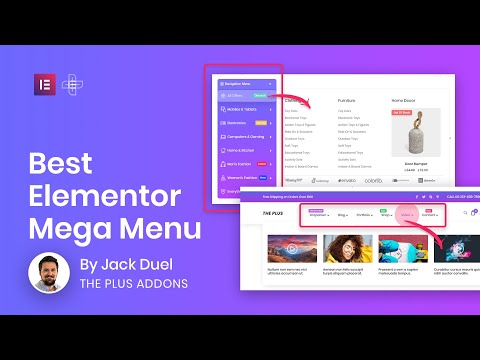
Want to create best mega menu with least efforts in elementor? Looking for something which is recommended by industry leaders? It's best alternative of Jet Mega Menu, Ultimate addons mega menu, Elementskit Free Mega menu, Max mega menu and Cleaver mega menu. It works smoothly with all WordPress Themes such as Astra, OceanWP, Nexter WordPress Theme, Blocksy, and all other popular WordPress Themes. Our mega menu for elementor is one of the top and biggest mega menus for elementor. It has vertical and horizontal options and on top of that, It has Indicator and Icons options for navigation. Vertical and Horizontal Megamenu Megamenu width Options Navigation Icon and Indicator Options Elementor Megamenu with lots of Options Most Advanced Mega Menu This mega menu is created with all advanced options so you can achieve the best possibilities. No Coding Knowledge Required It's simple and intuitive, You can start easily and use any elementor widgets to craft your mega menu. Various Width Options You can select a container, full width, or enter the width of a mega menu in Pixels for each mega menu individually. Responsive Options It has the option to choose another menu for responsive devices and It will look amazing on each screen size. Highly Customisable It has tons of options to create unique and various designs easily with just a few tweaks in options. Indicator Options Highlight some menus with specific text/tooltip. It has multiple options to create indicators easily. This feature is part of The Plus Addons for Elementor plugin. It's awarded as a best elementor third-party addons. It's used by lots of designers and developers to supercharge their Elementor website. Above Feature/Widget URL: https://theplusaddons.com/elementor/widgets/mega-menu/ Official Plugin Website: https://theplusaddons.com/elementor/ Purchase Link: https://theplusaddons.com/elementor/pricing/ You can join us to discuss or Stay Tuned to get updates. Facebook Community: https://www.facebook.com/groups/theplus4elementor/ Facebook Page: https://www.facebook.com/theplusaddonsforelementor/ Get further Support : Documentation: https://docs.posimyth.com/tpae/ Get in touch with us directly on messenger. Facebook Live Chat: https://m.me/theplusaddonsforelementor/ Our add-ons are listed in elementor's top widgets page, WpExplorer's best elementor add-ons Article, Got highest ranking in Kasa reviews for best third-party addons and listed by many other websites and experts. We are considered as the best addons for elementor ever built. We try to improve add-ons to its level best for elementor page builder. 00:00 Introduction 00:11 Recommended by Elementor Team 01:14 Activate Mega Menu 01:53 How to create New Template for Mega Menu 04:08 How to Copy-Paste the demo from The Plus add ons 08:52 How to create a menu 10:29 How to create a Header Mega Menu using Elementor Template 13:38 How to fix icons using The Plus addons 15:34 How to change the width and add labels on mega menu 17:50 How to add icons on Megamenu 20:48 How to style and design your Mega Menu 21:48 How to show the mega menu on Mobile 24:16 How to change the Typography and Style of Main Mega Menu 26:39 How to change the Sub Menu Styles of a Mega Menu 28:08 How to change the Mobile Mega Menu Style 30:34 Choose the Location where the Mega Menu should display
Essential WordPress Menu Builders
AI-recommended products based on this video

Freenove Ultimate Starter Kit for BBC micro bit (V2 Included), 316-Page Detailed Tutorial, 225 Items, 44 Projects, Blocks and Python Code

BBQ Rib Skinner, Rib Prep Pro, Professional Boning Tongs Boning Knife Set for Perfect Ribs, Ergonomic Handle Precise Cutting, Ultimate Grilling Gift for BBQ Enthusiasts & Grill Masters

Toenail Fungus Treatment Extra Strength - Nail Fungus Treatment Extra Strength for Thick, Yellow, Discolored, Broken and Ingrown Nails, Ultimate Fungus Nail Treatment for Toenail & Fingernail Trono(30ML)

8BitDo Ultimate C Wired Controller for Xbox with RGB Lighting Fire Ring, Hall Effect Triggers and Joysticks, Compatible with Xbox Series X|S, Xbox One, Windows 10/11 - Officially Licensed (Dark Gray)

Shower Steamers Aromatherapy 8 Pack Gifts for Women & Men Bath Bombs, Organic Eucalyptus & Menthol Essential Oil,Birthday Gifts for Wife & Husband Spa Relaxing, Travel Essentials Aromatherapy

Jamieson Vitamin B50 Complex, Blend of 8 Essential B Vitamins, with Folate for Cellular Health, Supports Energy Production and Metabolism. Vegetarian, Non-GMO, Gluten-Free, Bonus Size, 120 Caplets, Proudly Canadian

The Essential Cottage Cookbook: Simply Delicious Recipes for Cottages, Cabins, and Wherever Your Travels Take You

Pumpkin Seed Oil with Saw Palmetto Capsules | Cold Pressed, Pure Virgin Oil, Essential Fatty Acids & Phytosterols 180 Softgels, Good for hair health | Non-GMO

GEEKOM GT1 Mega AI Mini PC,14th Gen Intel Core Ultra U9-185H Processor (16C/22T,up to 5.1 GHz),32GB DDR5 2TB M.2 2280 NVMe Gen4*4 SSD, Mini Desktop Windows 11 Pro, WiFi7/BT 5.4/Dual 2.5G LAN/USB4.0/8K
