10 tips for using TradingView


TradingView
View ChannelAbout
The one and only TradingView YouTube channel. It doesn't matter who you are or what you trade, preparing then committing is the best way of maximizing life's returns. Our channel is dedicated to financial markets, showing new and pro traders the ins and outs of markets, including how our platform works from start to finish. Look first / then leap. 🚀 Try TradingView: https://www.tradingview.com/ 💰 Share TradingView and get $15: https://www.tradingview.com/share-your-love/ 🔔 Follow us on X: https://x.com/tradingview 📱 Download Mobile app: https://www.tradingview.com/mobile/ 🆓 Add widgets to your website: https://www.tradingview.com/widget/ 📈 Build your app with the TradingView library: https://www.tradingview.com/free-charting-libraries/
Latest Posts



Video Description
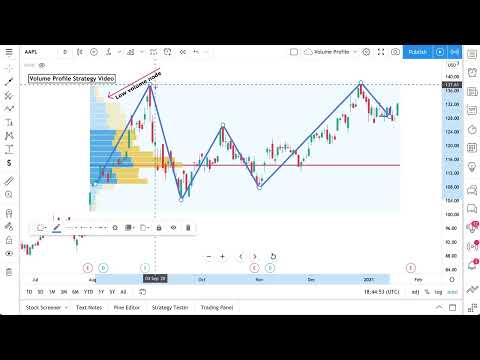
Hey everyone, we decided to make this video to show some unique tips and helpful ways you can use TradingView in your charting and research process. In the video we cover the following 10 tips: 1. Log scale charts 2. Candles based on previous close 3. Your Personal Trading Journal 4. Sections In Your Watchlist 5. Press / For Indicators 6. Share Your Live Charts With Friends 7. Fixed Range Volume Profile 8. Public Library Search 9. Multiple-Timeframe Analysis 10. Favorite Drawings Toolbar We hope this helps you get started in markets or even better improves the way you study and follow markets. Please leave any questions or comments below. Try TradingView: https://tradingview.com Get up to $30 in TradingView Coins for you and a friend: https://www.tradingview.com/share-your-love/ Follow us on Twitter: https://twitter.com/tradingview/ Follow us on Facebook: https://www.facebook.com/tradingview #TradingView #Traders #Investors
You May Also Like
No Recommendations Found
No products were found for the selected channel.