Vintage Photo Effect - Photoshop Tutorial


LetsPhotoshop
View ChannelAbout
Welcome to Let’s Photoshop! 🎨✨ Unlock your creativity and master the art of photo editing with Let’s Photoshop—your ultimate destination for easy-to-follow Photoshop tutorials, tips, and tricks! Whether you’re a beginner or a seasoned pro, our channel is here to help you create stunning visuals, enhance your skills, and bring your ideas to life. What We Offer: 🎥 Step-by-Step Tutorials: Learn everything from basic edits to advanced techniques. 💡 Creative Tips & Tricks: Discover shortcuts and hacks to speed up your workflow. Why Subscribe? ✅ New videos every week to keep your skills sharp. ✅ Easy-to-follow instructions for all skill levels. Hit that Subscribe button and turn on the notification bell 🔔 so you never miss a tutorial! Let’s learn, create, and grow together. 💬 Got a request? Drop a comment below or reach out on social media—we’d love to hear what you want to learn next! #PhotoshopTutorials #PhotoEditing #GraphicDesign #CreativeEditing #LearnPhotoshop
Latest Posts
Video Description
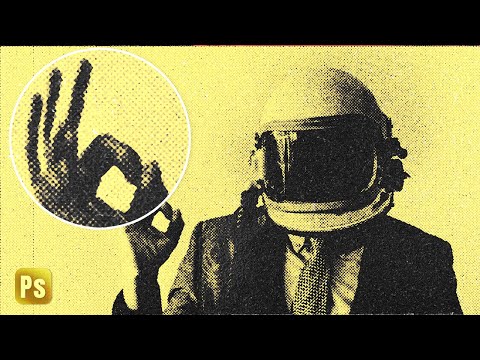
In this Photoshop tutorial, we will see how to go the past and make our images age with a special vintage photo effect. Using faded colors and film grain noise with scratchy texture to end up with very nice retro photos that people love, by following this tutorial you will be able to create your own PSD template that you can use to any image you want in a second. Thank you for watching! And don't forget to like and subscribe for more! Join this channel to get access to perks: https://www.youtube.com/channel/UC0ycr0VzyoKCsO8CQcVf98w/join ⭐️Check Out Envato Elements to get unlimited downloads and access millions of Creative Assets including Stock Photos, Photoshop Actions, Brushes, audio..and much more! https://1.envato.market/c/2979767/298927/4662 →Download ASSETS: https://bit.ly/vintage-photo-effect-in-Photoshop →PSD (Vertical and Horizontal) Available For Members →Image 1: https://unsplash.com/photos/ULOwPNhbGKA →Image 2: https://unsplash.com/photos/gXCXqB9giWc →Image 3: https://unsplash.com/photos/x0c6vTO5ibA ⭐️NEW MERCH: https://letsps-shop.fourthwall.com/ ◆◇◈ ON THE WEB: —YouTube→ https://goo.gl/xBIhuH —Facebook→ http://goo.gl/LB1HbM —Instagram→ https://goo.gl/JyWTUv ------ Info: ●Photo Effects made in Adobe Photoshop CC (always the latest version) ●Video Editing made in Adobe After Effect and Camtasia for zooming and cursor highlights ●Screencast with Camtasia Studio 9 ------ ——▷Become my Patron to support me make new tutorials: https://www.patreon.com/Letsgettoit Contact: E-Mail [email protected] BLOG: →https://dR-DesignResources.blogspot.com #vintage #retro #photoshop
Transform Your Photos Today
AI-recommended products based on this video

Adobe Photoshop Elements 2025 | PC/Mac | Software Download | Photo Editing | 3-year term license | Activation Required
Adobe Photoshop Elements 2025 | PC/Mac | Software Download | Photo Editing | 3-year term license | Activation Required
