[02] Ways to Merge Outlook Contacts!


Mail Smartly
View ChannelAbout
Welcome to the Microsoft Outlook YouTube channel! Here, you'll find a wealth of resources, tips, and tricks to help you master the art of using Outlook effectively and efficiently. Our channel is dedicated to providing you with step-by-step tutorials, in-depth guides, and insightful videos that cover a wide range of topics related to Microsoft Outlook. Be sure to subscribe to our channel and enable notifications, so you never miss a new video. Feel free to leave comments, ask questions, and share your own tips and experiences with the Outlook community. We value your feedback and are committed to creating content that addresses your needs and interests. Get ready to unlock the full potential of Microsoft Outlook with the Microsoft Outlook YouTube channel. Let's embark on this journey together and make your Outlook experience seamless, efficient, and enjoyable! Stay connected :)
Latest Posts


Video Description
[02] Ways to Merge Outlook Contacts! Welcome to this video tutorial on how to merge Outlook contacts. In this video, we will go over the steps to successfully merge duplicate Outlook contacts, so that you can keep your contact list organized and up to date. If you are more comfortable reading the Blog post, click on it: - https://mailsmartly.com/merge-outlook-contacts/ ☕ If you find my Microsoft Outlook videos useful and would like to support me, you can buy me a coffee - https://www.buymeacoffee.com/AmitBansal Subscribe to get awesome Microsoft Outlook Tips every week: https://www.youtube.com/channel/UCARlPrQYhr-fzBZqj1Yf7VA To Get a Free Microsoft Outlook Keyboard Shortcut PDF file visit and subscribe. https://mailsmartly.com/ If you found this video useful, please give it a thumbs up 👍 and subscribe to the channel. Also, let me know what topics you want me to cover in future videos. #Outlook #Microsoft #Microsoft365 #outlooktips #officetips #techforall #techforall2019 #tutorial #tutorialyoutube #microsoftoffice #microsoftoffice365 #microsoftoutlook #outlook365 #outlooktutorial #outlooktutorial #outlook2016 #outlook2019 #outlook2022 #office2010 #office2013 #office2016 #office2019 #mailsmartly #outlook2023 #mailsmartly #email #keyboardshortcuts #forward #attachment #shortcuts #keyboardshortcutkeys #unread #readmessage #blockemail #texttotable #contact #contactmerge And make sure you subscribe to my channel! - EQUIPMENT USED -------------------------------- ○ My camera – https://amzn.to/3CwIoER ○ Microphone - https://amzn.to/3Cg5YVW ○ Camera tripod – https://amzn.to/42l7TmJ ○ Studio lights - https://amzn.to/3WNUSBb ○ Dual monitor mount stand - https://amzn.to/43pOfr5 ○ Web camera – https://amzn.to/45LT9Al ○ Shock mount - https://amzn.to/3OXfHbj ○ Boom Arm - https://amzn.to/3MV7FgE DISCLAIMER: Links included in this description might be affiliate links. If you purchase a product or service with the links I provide, I may receive a small commission. There is no additional charge to you! Thank you for supporting my channel, so I can continue to provide you with free content each week!

DIY Craft Essentials
AI-recommended products based on this video

Amazon Basics Ultra Paper Bowls, 20 Oz, Disposable, 50 Count, White (1 pack of 50)

Bounty Quick Size Paper Towels, White, 8 Family Rolls = 20 Regular Rolls (Packaging May Vary)
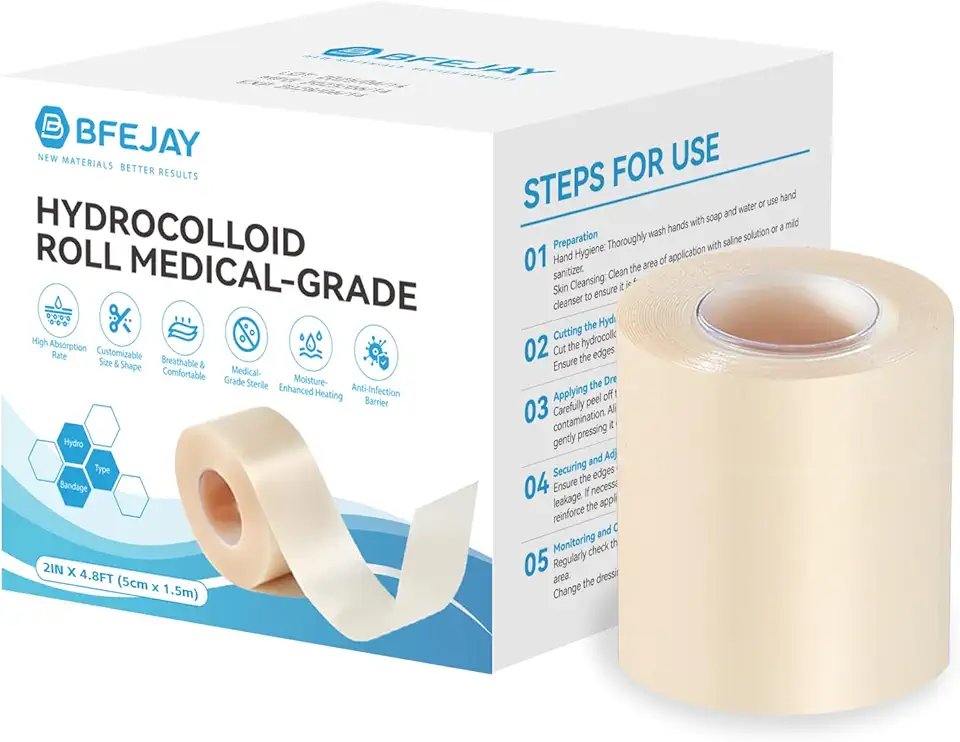
Hydrocolloid Bandages for Wound Care, Extra Large Medical-Grade Hydrocolloid Roll with Self-Adhesive, Ultra Absorbent, Flexible & Waterproof, DIY Size & Shape First Aid Kit Essential (2in*4.8ft)
Hydrocolloid Bandages for Wound Care, Extra Large Medical-Grade Hydrocolloid Roll with Self-Adhesive, Ultra Absorbent, Flexible & Waterproof, DIY Size & Shape First Aid Kit Essential (2in*4.8ft)