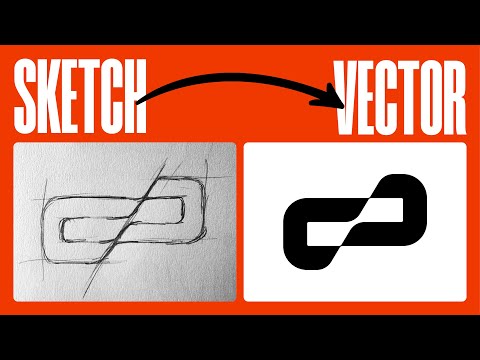
3 Ways to turn sketch into vector illustration | Illustrator Tutorial (Tracing Tips)


T&T Tutorials
View ChannelAbout
On this channel you'll learn how to create character illustrations, flat character design and will understand the full character design process from sketch to finished illustration. Each tutorial will teach you something new about Adobe Illustrator and Photoshop tools, methods, hints and possibilities, which will reveal to you the full picture of the illustration and design workflow. I always answer all the questions that subscribers have after viewing my lessons, so if you don't know where to start and if you struggle with sketching or rendering in Illustrator and Photoshop, here you will find everything you need to improve your skills and create your own character illustrations! Subscribe and click the bell icon to get all upcoming Adobe Illustrator and Photoshop tutorials from T&T!
Latest Posts



Video Description
In today's Adobe Illustrator tutorial you'll learn 3 ways to turn your pencil sketch into vector illustration. You'll learn all must know Illustrator tips and make tracing in Illustrator one of the easiest parts of your workflow. You'll be able to choose your favorite approach to easily turn any hand-drawn sketch into vector. After this Illustrator tutorial you'll know all needed hints for tracing with the pen tool and the blob brush in Illustrator and will also learn how to use the shape builder tool, simplify feature and outline & divide from pathfinder. I hope today’s Illustrator tutorial will really help you out. Drop a comment below and let me know what you liked about this video! ► VIDEO GUIDE: 0:00 Intro 0:10 1st way: trace with overlapping, use outline and divide from pathfinder and apply colors 01:30 2nd way: use a combination of the pen tool (with fill color active only) and the shape builder tool 02:27 3d way: how to use the blob brush to trace with the tablet quickly and create stylized illustrations using different blob brush settings ► SUBSCRIBE to get more new tutorials! https://www.youtube.com/TTTutorials?sub_confirmation=1 ► FOLLOW ME: Instagram: https://www.instagram.com/tt__tutorials/ Facebook: https://www.facebook.com/tt.tutorials.youtube Behance: https://www.behance.net/tt_tutorials Pinterest: https://www.pinterest.com/tt_tutorials/ Twitter: https://twitter.com/tt_tutorials ► MORE ADOBE ILLUSTRATOR TUTORIALS: https://www.youtube.com/playlist?list=PLIhDo8zfb4irZOMSWZGVTfgN0XRrpjOat Thank you for watching! #illustratortutorial #illustratortips #tt_tutorials









Cooking Essentials: Chicken Pasta Night
AI-recommended products based on this video
