WordPress Tutorial for Beginners – Build a Website Step-by-Step with AI


Kevin Stratvert
@kevinstratvertAbout
Learn how to do anything, with high-quality how-to videos. I teach millions of students around the world every month across YouTube, Instagram, TikTok, and other social media platforms to help them master technology, achieve more at work, and succeed at school. I've been featured on CNBC, Fast Company, GeekWire, and Windows Central. I'm an ex-Microsoft Product Manager and now a full-time education content creator. 📩 NEWSLETTER Get the top tech tips and tricks delivered to your inbox each week: https://kevinstratvert.com/newsletter/ 🙏 REQUEST VIDEOS https://forms.gle/BDrTNUoxheEoMLGt5 💻 OFFICIAL WEBSITE http://www.kevinstratvert.com 🪙 SUPPORT THE CHANNEL Support the channel with your Amazon purchases: https://amzn.to/3kCP2yz (Disclosure: this link gives me a small commission to support videos on this channel. The price to you is the same.)
Latest Posts



Video Description
Want to build a stunning WordPress website but don’t know where to start? In this beginner-friendly tutorial, I’ll show you how to build and design your very own website step-by-step—no coding needed! Follow along: https://hostinger.com/kevin We’ll use AI-powered tools to make the process faster and easier, from choosing a domain and web host to customizing the design and launching your site live on the internet. In this video, you’ll learn how to: • Choose the best hosting plan (we’re using Hostinger) • Use WordPress AI tools to generate your site • Customize blocks, layout, images, and text • Add new pages like FAQs using AI content generation • Tweak design elements to match your brand • Publish your site and go live 🚀 By the end, you’ll have a beautiful and functional WordPress website up and running! 🔗 Try Hostinger with a discount: https://hostinger.com/kevin 💬 Coupon Code: KevinStratvert for 10% off 📍 Recommended Plan: Business Plan Host: Kevin Stratvert Sponsor: Hostinger ⌚ TIMESTAMPS 00:00 - Introduction 00:38 - Choose a web host 02:38 - Set up your WordPress website 04:24 - Pick a domain name 05:37 - Choose a data center location 06:06 - Generate your website using AI 08:01 - Customize your AI-generated site using blocks 10:17 - Replace the header background image 12:40 - Adjust text color and button style 13:27 - Rearrange blocks for better layout 14:45 - Add new blocks to the page 17:57 - Create a new page with AI content 21:34 - Add page to site navigation 22:41 - Explore different WordPress themes 23:19 - Make final tweaks & review settings 23:59 - Preview your website 24:17 - Wrap up 📺 RELATED VIDEOS - Playlist with all my videos on WordPress: https://www.youtube.com/playlist?list=PLlKpQrBME6xL4sKZQ6HAdOyFzICYwRjjl 📩 NEWSLETTER - Get the latest high-quality tutorial and tips and tricks videos emailed to your inbox each week: https://kevinstratvert.com/newsletter/ 🔽 CONNECT WITH ME - Official website: http://www.kevinstratvert.com - LinkedIn: https://www.linkedin.com/in/kevinstratvert/ - Discord: https://bit.ly/KevinStratvertDiscord - Twitter: https://twitter.com/kevstrat - Facebook: https://www.facebook.com/Kevin-Stratvert-101912218227818 - TikTok: https://www.tiktok.com/@kevinstratvert - Instagram: https://www.instagram.com/kevinstratvert/ 🎒 MY COURSES - Go from Excel novice to data analysis ninja in just 2 hours: https://kevinstratvert.thinkific.com/ 🙏 REQUEST VIDEOS https://forms.gle/BDrTNUoxheEoMLGt5 🔔 SUBSCRIBE ON YOUTUBE https://www.youtube.com/user/kevlers?sub_confirmation=1 🙌 SUPPORT THE CHANNEL - Hit the THANKS button in any video! - Amazon affiliate link: https://amzn.to/3kCP2yz ⚖ DISCLOSURE Some links are affiliate links. Purchasing through these links gives me a small commission to support videos on this channel. The price to you is the same. #stratvert #wordpress #hostinger











Essential Web Tools
AI-recommended products based on this video

Logitech M185 Wireless Mouse, 2.4GHz with USB Mini Receiver, 12-Month Battery Life, 1000 DPI Optical Tracking, Ambidextrous, Compatible with PC, Mac, Laptop - Black

Logitech G203 Wired Gaming Mouse, 8,000 DPI, Rainbow Optical Effect LIGHTSYNC RGB, 6 Programmable Buttons, On-Board Memory, Screen Mapping, PC/Mac Computer and Laptop Compatible - Black

Logitech G305 Lightspeed Wireless Gaming Mouse, Hero 12K Sensor, 12,000 DPI, Lightweight, 6 Programmable Buttons, 250h Battery Life, On-Board Memory, PC/Mac - Black

Logitech G502 Hero High Performance Wired Gaming Mouse, Hero 25K Sensor, 25,600 DPI, RGB, Adjustable Weights, 11 Programmable Buttons, On-Board Memory, PC/Mac, Black

HOMIEE HOMIEE 15.6-Inch Laptop Backpack, High-Capacity Backpack for Men Women USB Charging Port Travel/Business/College Backpack, Blue
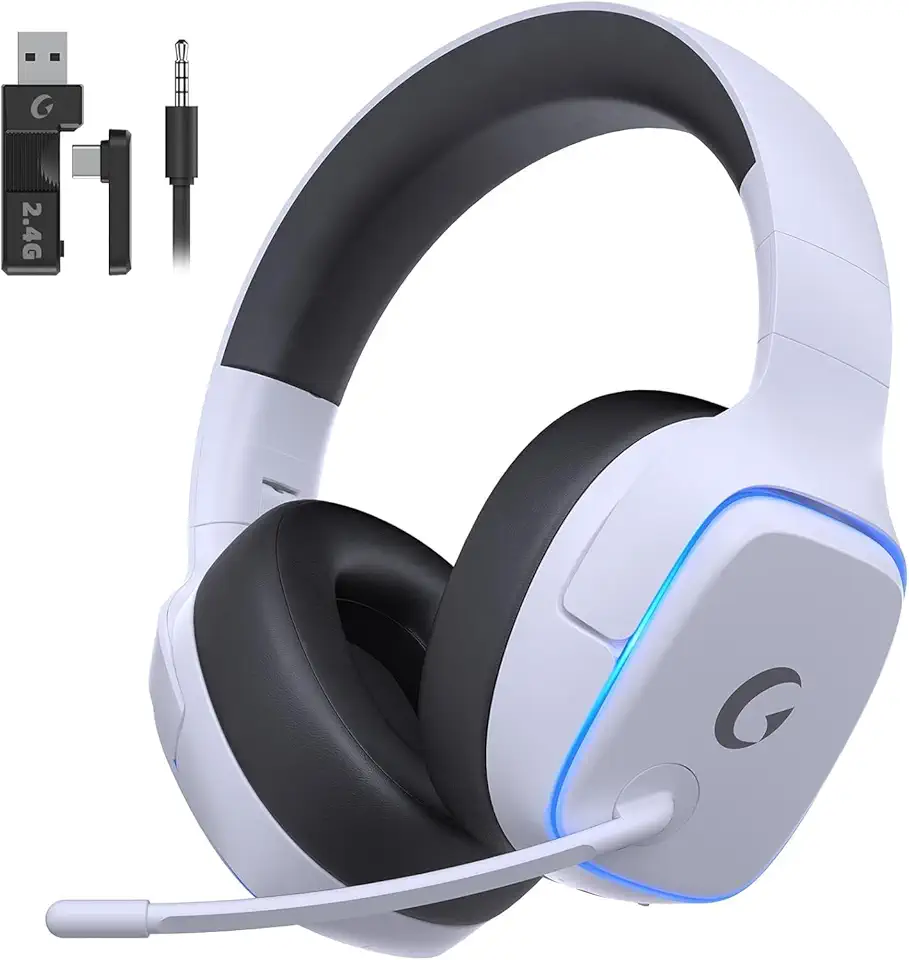
2.4GHz Wireless Gaming Headsets for PS5, PS4, PC, Switch - Bluetooth 5.3 Gaming Headphones with Noise Canceling Mic, 7.1 Surround Sound, 70H Battery, Blue Lighting - White

RAOYI 5Pack 64GB USB Flash Drive USB Stick USB 2.0 Memory Stick Slide Retractable Thumb Drive 64G USB Drive USB Key for Data Storage (Black Red Blue Green Purple)
