46 Best ChatGPT Alternatives - Useful AI Tools for Teachers
About
No channel description available.
Latest Posts



Video Description
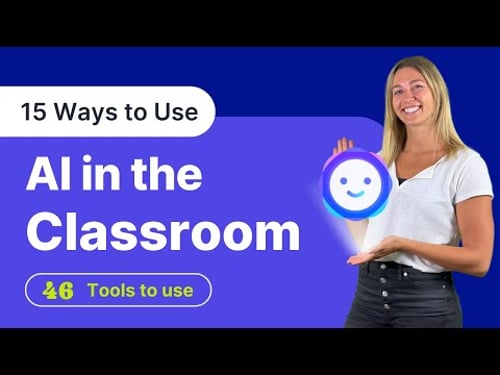
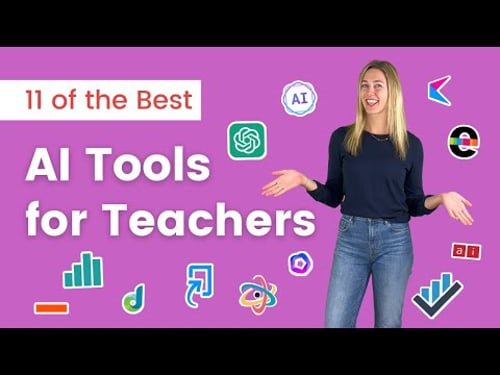
Join us as we dive into 15 ways to Use AI in the classroom. We will cover 46 different tools that are perfect for educators. Whether you're a teacher, tutor, or simply interested in the latest educational technology, we've got you covered. 🔔 Subscribe to stay updated: ► https://www.youtube.com/@ClassPoint/ View all 46 tools here: ► https://www.classpoint.io/blog/chatgpt-alternatives 🚨 NEW TOOL: Generate lesson plans, flashcards, teaching resources, quizzes and more based on a topic, text webpage, or document with Edcafe AI. Check it out here: https://www.edcafe.ai/🚨 🔗 Links ~~~~~~ Learn more about ClassPoint: ► https://www.classpoint.io/ Learn more about ClassPoint AI: ► https://www.youtube.com/watch?v=tYXem89HVi0 ~~~~~~ *** Related Videos *** 🎬 How to Create an AI Quiz in PowerPoint ► https://youtu.be/fCU3HhjUdDA 🎬 11 of the Best AI Tools for Teachers ► https://youtu.be/KG4_CYbVpTo 🎬 How to Make an AI Quiz Competition Game in PowerPoint ► https://youtu.be/1z03SwOAMaI ⌚ Timestamps: [ 0:00 ] - Intro [ 0:17 ] - Generate interactive quiz questions [ 1:01 ] - Plan more creative lessons [ 1:38 ] - Quickly create presentations [ 2:18 ] - Generate interesting images [ 2:49 ] - Create and edit video lessons [ 3:32 ] - Customized learning [ 4:17 ] - Personalized assessments [ 4:34 ] - Streamline grading processes [ 5:01 ] - Include a tutor and teaching assistant [ 5:36 ] - Professional development coach [ 6:03 ] - Create new lesson content [ 6:33 ] - Practice pronunciation and speaking [ 6:59 ] - Research more efficiently [ 7:33 ] - Automate note-taking [ 8:07 ] - Improve Productivity [ 8:39 ] - End #education #ai #aitools 🚩 ClassPoint on Social Media: YouTube: 👉🏻 https://www.youtube.com/c/ClassPoint Facebook: 👉🏻 https://www.facebook.com/classpoint.io Twitter: 👉🏻 https://twitter.com/ClassPointIo 📢 📢 About This Channel _________________________________ ClassPoint (https://www.classpoint.io/) seamlessly integrates with Microsoft PowerPoint to turn presentations into interactive lessons, enhancing engagement through live student response tools. In this channel, we provide tutorials on ClassPoint, but also tutorials to help teachers use technology in their classrooms to engage students. We aim to be a welcoming community for teachers around the world to learn and ask questions about different EdTech solutions. SUBSCRIBE and tap the BELL for videos on learning to use technology to help you better connect and engage with your students. Plus, check out Edcafe AI - EdCafe (https://www.edcafe.ai/) is our AI-driven platform built specifically for teachers, offering advanced tools for lesson planning, personalized learning, and student interaction.


![How to View ClassPoint Student Responses Online [anywhere, anytime!]](https://imgz.pc97.com/?width=500&fit=cover&image=https://i.ytimg.com/vi/m8DTLcWCd38/hqdefault.jpg)

![12 Ways to Use Chat GPT in the Classroom [ 100 ChatGPT Prompts for Teachers ]](https://imgz.pc97.com/?width=500&fit=cover&image=https://i.ytimg.com/vi/UnzZWqBciG0/hqdefault.jpg)
![Best Free AI PowerPoint Makers [Generate PowerPoints with AI]](https://imgz.pc97.com/?width=500&fit=cover&image=https://i.ytimg.com/vi/DJ4CvjdrBSA/hqdefault.jpg)
![3 Ways to Create PowerPoint Presentations with ChatGPT [for Teachers]](https://imgz.pc97.com/?width=500&fit=cover&image=https://i.ytimg.com/vi/JmVWz2PFVA0/hqdefault.jpg)




Must-Have DIY Slime Essentials
AI-recommended products based on this video

Spigen Case for iPhone 16 Plus Case, Liquid Crystal Glitter Designed for Apple iPhone 16 Plus - Crystal Quartz

LITTLEFUN Decorate Your Own Baseball Cap with Glitter Gem Stickers for Kids Crafts Toys Gifts - Girls Birthday Presents

Jxngery Jxngery 4 Sets Graduation Stole with Gold Glitter Letter Good Decoration Simple Graduation Sashes Set for Home School Party
