12 ChatGPT Tricks That Will Help You Become A Pro!

Enovair
@EnovairPartnersAbout
Most businesses don't fail because they lack technology. They fail because they lack intelligent systems. Enovair Partners designs, builds, and implements AI-powered revenue systems for mid-market and enterprise organizations. This channel is where we pull back the curtain on how we think, so you can apply the same frameworks to your business. Hosted by Alicia and Christopher, The Enovair Show breaks down AI strategy, systems architecture, and digital transformation into practical insights you can actually use. From prompt engineering to building AI agents to the critical shifts reshaping how companies operate, every video is designed to give you clarity, not complexity. No hype. No tool-of-the-week chasing. Just the strategic thinking and technical depth that drives our consulting work. Built for CEOs, operators, growth leaders, and professionals who want to use AI to build systems that scale, not just experiment with the latest trend. New videos every week. 🔗 enovairpartners.com
Latest Posts


Video Description
Unlock the Full Power of ChatGPT! 🚀 | 12 Must-Know Tips for Beginners & Pros Want to get better, faster, and more accurate results from ChatGPT? In this video, I break down 12 essential tips that will help you master ChatGPT for productivity, creativity, research, content creation, and more. Whether you’re a beginner or already using AI tools, these practical techniques will level up your prompts and save you hours of trial and error. 🧠 What You’ll Learn: • How to write smarter prompts • Ways to use ChatGPT for business, work, and everyday tasks • Prompt engineering hacks you wish you knew earlier • How to get ChatGPT to think step-by-step • Bonus: One trick to supercharge ChatGPT’s output quality ✨ These ChatGPT tips are perfect for: ✅ Entrepreneurs ✅ Students & researchers ✅ Content creators ✅ Anyone curious about AI productivity 👉 Don’t forget to like, comment, and subscribe for more AI, automation, and productivity content! CHAPTERS 0:00 - Intro 0:14 - Tip #1 - Improve Your Prompt 0:57 - Tip #2 - Image Analysis 1:50 - Tip #3 - Enable Custom Instructions 3:06 - Tip #4 - Match Your Model to Your Mission 5:02 - TIp #5 - Use the Canvas Feature 6:23 - Tip #6 - Use Custom GPTs 7:54 - Tip #7 - Ask ChatGPT to Remember Key Prompts 8:58 - Tip #8 - Transform Background for Product Images 10:14 - Tip #9 - Automate with Scheduled Tasks 12:15 - Tip #10 - Mobile App Use Cases 14:00 - Tip #11 - Chat Privately & Control Your Data 15:20 - Tip #12 - Rename Your Chats & Use Search 👉 Join our new Community on Skool with Weekly Videos, Live Lessons and Downloadable Guides https://enovair.link/Join-Enovair-Circle Here is a link to the gear I am using for my videos: https://amzn.to/3Fl6Y0a #ChatGPT #AItips #Productivity #ChatGPTtutorial #OpenAI #AItools
You May Also Like











Essential Camera Gear Upgrade
AI-recommended products based on this video

SmallRig ZV-E1 Camera Baseplate for Sony ZV-E1, Built-in Cold Shoe Mount and QR Plate (for Arca) Quick Switch Between Tripod and Stabilizer for DJI RS 2 / RSC 2 / RS 3 / RS 3 Pro - 4314

NEEWER a6700 L Plate Compatible with Sony Alpha 6700, Quick Switch Aluminum Extendable Side Plate & Anti Twist Baseplate Compatible with Arca Swiss QR System DJI RS 2 RSC 2 RS 3 Pro Gimbals, CA048

SmallRig Baseplate for Sony Alpha 6700, Bottom Mount Plate Built-in Quick Release Plate for Arca, Supporting Quick Switch Between Tripod and Stabilizer (for DJI RS 2 / RSC 2 / RS 3 / RS 3 Pro) - 4338
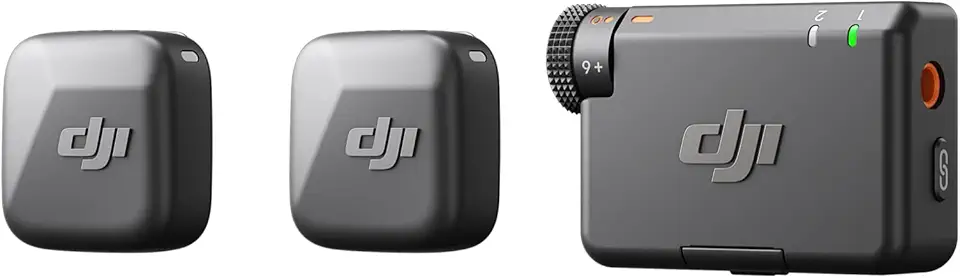
DJI Mic Mini (2 TX + 1 RX), Detail-Rich Audio, Wireless Lavalier Microphone for Camera/Android, 2-Person Vlog, Team Production

SanDisk 64GB Extreme PRO SDXC UHS-I Memory Card - C10, U3, V30, 4K UHD, SD Card - SDSDXXU-064G-GN4IN
