Configuring Static NAT, Dynamic NAT and PAT, Packet Tracer v.7.2


Saleh Al-Moghrabi (Sal)
View ChannelAbout
No channel description available.

Video Description
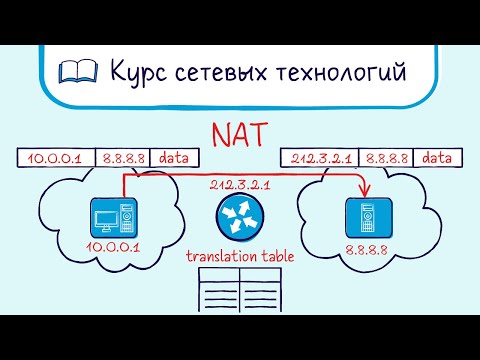
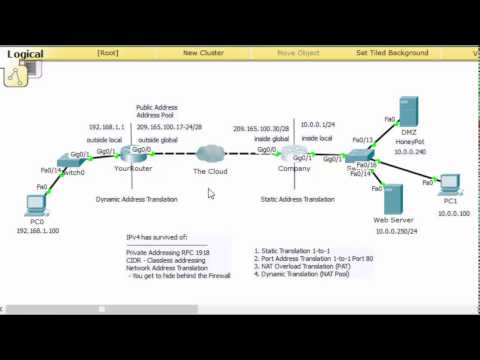
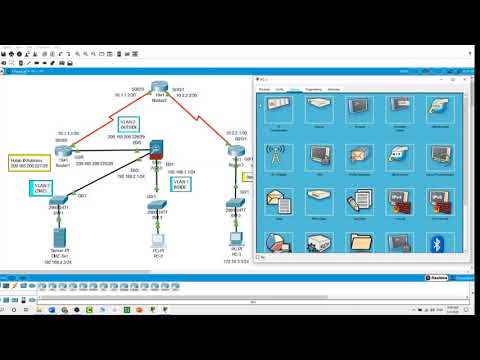
https://www.youtube.com/user/MrSaleh970/videos?view_as=subscriber. Download Packet Tracer source files: https://drive.google.com/file/d/14WkXsGR04rTYliZOh90uD6gVzyPyJYrj/view?usp=sharing download the lab walk through: https://drive.google.com/file/d/1v-xcPIgpnY_J2Wm-a_eME4EYVa8KDXro/view?usp=sharing Today’s video is about NAT ( Network Address Translation). NAT in which a private IP address is mapped to a public IP address, where the public address is always the same IP address. Static NAT creates a fixed translation of private addresses to public addresses, the main difference between dynamic NAT and Static NAT is that the static NAT allows a remote host to initiate a connection to a translated host if an access list exists that allows it, while dynamic NAT does not. Dynamic network address translation Dynamic NAT is a technique in which multiple public internet protocol (IP) addresses are mapped and used with an internal private IP address. Now We want to configure a static NAT to the PC-1 of 192.168.1.2 so it can reach the servers on the internet. On Router1 # int s0/0/0 # ip nat outside # int g0/0 # ip nat inside. # ip nat inside source static 192.168.1.2 10.1.1.11 Run this command: # show ip nat translations Now, ping the server. # ping 8.8.8.8 Now we will configure dynamic NAT on the Router, to allow the network of 192.168.2.0 to access the internet. Let us ping the default gateway. # ping 192.168.2.1 Let us run a ping from a PC to the DNS server. # ping 8.8.8.8 Let us configure dynamic NAT on the Router. # int s0/0/0 # ip nat outside # int g0/0 # ip nat inside Now configuring an access list for the network # access-list 1 permit 192.168.2.0 0.0.0.255 # ip nat pool NAT 10.1.1.5 10.1.1.10 netmask 255.255.255.0 # ip nat inside source list 1 pool NAT Now, let us create NAT overloading or PAT. Here we will have these two PCs to be nated to the IP address of the router. On Router1 # int s0/0/0 # ip nat outside # int g0/0 # ip nat inside # ip nat inside source list 1 interface s0/0/0 overload # access-list 1 permit 192.168.1.0 0.0.0.255 Let us enable telnet on Router2 # line vty 0 4 # login # password cisco # enable password cisco Let us telnet to the router from one of the PCs. Then run the command : # show ip nat translations.













Drone Builder's Must-Haves
AI-recommended products based on this video

OVERTURE PLA Filament 1.75mm PLA 3D Printer Filament, 1kg Cardboard Spool (2.2lbs), Dimensional Accuracy +/- 0.02mm, Fit Most FDM Printer (White 1-Pack)
