Create a student tracker in Google Sheets


Flipped Classroom Tutorials
@flippedclassroomtutorialsAbout
Where we make Educational Technology Easy. On this channel we are all about clear tutorials, helpful tips and tricks for teachers, and reviews of Educational Technology. I would love to hear back from you and hear your ideas and tricks. Leave a comment or ask a question and I will do my best to answer. Learn something new today or use these instructional videos within your class, Flipping the Classroom! New videos every week! This will be a useful trick or tutorial, highlighting a tool I've used in class during the past week. Who am I? A full time class teacher with over a decade of experience in the classroom, part time trainer with a real interest in Educational technology and innovation, and proud dad of two lovely boys(ages 6 and 10). Find out more about me and what I'm up to on my website here https://www.sethideclercq.com Like what you see? Support the channel by becoming a YouTube member or finding me on Patreon: https://www.patreon.com/eduflip
Latest Posts




Video Description
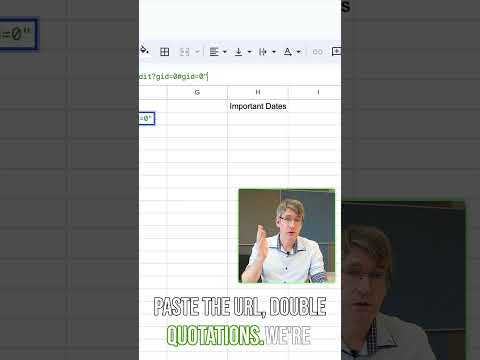
Transform your student tracking process with this detailed Google Sheets tutorial! Learn how to use powerful formulas, including QUERY, and implement error checks to create a professional and easy-to-use tracker for your classroom. You’ll Learn how to build the Foundation with step-by-step instructions on setting up your own Google Sheet for student tracking. Learn how to use the QUERY Function and efficiently filter and organise your data. Implement an Error Checks so everything looks great and is easy to use at your school. See how you can customising my downloadable tracker giving you tips and tricks to adapt the tracker to fit your school and class requirements. By the end of this tutorial, you’ll have a solid student tracker that I've used successfully for 2 whole school years that is not only functional but also visually polished. Plus, I’ll provide a downloadable template that you can tweak and share with fellow teachers to make tracking student progress a breeze. The link to download this resource and others is: https://resources.sethideclercq.com/ Feel free to share the resource link with anyone interested. 💚💚💚 Thank you all our Channel members! If you'd like to become a member as well follow this link: https://www.youtube.com/channel/UC_Mv2BsvWR03-s7S5CrNm3w/join Or support us on Patreon here: https://www.patreon.com/eduflip 💚💚💚 SERVICES AND SOFTWARE I USE DAILY: 🔵 BEST screen recorder with video editing: https://sethideclercq.com/camtasia 🔵Web hosting with 20% OFF: https://sethideclercq.com/host Amazing screenshots: https://sethideclercq/Snagit Screenshots and GIFs: https://sethideclercq.com/snagit Courses: https://sethideclercq.com/teachable Email lists and newsletter: https://sethideclercq.com/convertkit Website building: https://sethideclercq.com/wix GEAR AND RESOURCES: https://www.amazon.com/shop/flippedcl... https://kit.co/FlippedTutorials My TPT Store: https://www.teacherspayteachers.com/S... Disclaimer: Some of these links are affiliate links where I'll earn a small commission if you make a purchase at no additional cost to you. These videos have been made for educational purposes and all views or opinions expressed are my own.









Effortless Student Tracking Tools
AI-recommended products based on this video

2 Pack Muslin Bassinet Sheets for Baby, Easy to Clean, Soft Breathable Elastic Stretchy Baby Pad/Mattress Sheet Set, for Hourglass Oval and Rectangle Bassinet Mattress (Pink + Floral Print)

Waterproof Crib Mattress Protector | Toddler Bed Sheets | Washable Bassinet Pee Liner Mat for Potty Training Bedwetting Solution Nursery Setup Overnight Protection

Christmas Wrapping Paper Sheets 67 Number Santa Hat Print White Gift Wrap for Presents DIY Crafts Three Sizes 18 x 20 30 x 20 30 x 70 Inch (A, 30X70inch)
