Create your OWN Home-Lab Tunnel with Pangolin NOW | Free VPS

About
No channel description available.
Latest Posts


Video Description
Bypass Cloudflare Tunnel's 100MB file upload limit by setting up a custom tunnel using Oracle's always free tier services. This tutorial provides step-by-step instructions for creating a virtual private server and configuring the tunnel, all at no cost, utilizing the Oracle Cloud always free services. Learn how to leverage these services to overcome file size limitations. Pangolin is a combination of a Traefik reverse proxy and Gerbil tunnel which uses Wireguard to communicate between the VPS and your own self hosted connector. Traefik makes it easy to add invaluable plugins such as CrowdSec and GeoIP Blocking which I'll show you have to configure in this tutorial. Follow along on my blog: https://thomaswildetech.com/blog/ 📋Make sure to check out my full self hosted playlist https://www.youtube.com/playlist?list=PLuPXuBW0u9i25rUPwQxgUCRFPvP7JKuIF ☁️Haven't used a CloudFlare tunnel? Beside the 100MB file upload limit, it's quite good. Watch my tutorial here: https://youtu.be/qj8ApQFAjsY 👨🏫Need a more in depth explanation on using Nginx Proxy Manager with HTTPS? https://youtu.be/Y7Z-RnM77tA 🤳Looking into doing more with Immich? https://www.youtube.com/playlist?list=PLuPXuBW0u9i3uCLsDIfPsEX491_rKfqjT ☁Don't forget Nextcloud! https://youtu.be/7qz2rkUTRtw 📃Paperless! https://youtu.be/bDa8Z4hYnLU 🔐And Bitwarden Too! https://youtu.be/AwJXizTdth0 🛜Want to connect the dots of DNS context awareness? https://youtu.be/vOFI4_qMfd4 #selfhosted #homelab -------- Timeline ----------- 00:00 Discussion 01:48 Network Diagram 04:39 VCN and Subnet setup 06:31 Creating an Oracle Compute Instance 10:38 Connect subnet to internet 11:39 Preparing the Server 13:42 Installing Pangolin 16:56 Setting up DNS and HTTPS with DNS Challenge 22:22 Opening Ports on the VPS24:07 Pangolin Startup 25:02 Starting Immich on our Homelab VM 27:47 Configuring Pangolin Tunnel 32:55 Routing Pangolin to Nginx Proxy Manager 33:41 Setting up Nginx Proxy Manager w/ GoAccess Dashboard 35:04 Configuring a Proxy Host for Immich on NPM 36:13 Routing Pangolin to Nginx Proxy Manager 36:54 Monitoring Host GoAccess Logs 38:17 HTTPS with NPM and modifying Pangolin 40:56 CrowdSec Commands 42:41 Installing the CrowdSec Firewall Bouncer 45:12 Geo IP Blocking 47:53 Future videos coming up ----------------------------------------
You May Also Like







Essential Home-Lab Gear
AI-recommended products based on this video

BOSGAME Linux Mini PC, Intel 12th N100 16GB DDR4 RAM 512GB SSD Linux Server Computers Preinstalled Ubuntu 22.04,Support 4K Triple Display/USB3.2/WiFi 5/2.5GbE

TP-Link AC1300 USB WiFi Adapter (Archer T3U) - 2.4G/5G Dual Band Wireless Network Adapter for PC Desktop, MU-MIMO WiFi Dongle, USB 3.0, Supports Windows 11/10/8.1/8/7/XP, Mac OS 10.9-10.14

TP-Link WiFi 6 AX3000 PCIe WiFi Card Archer TX55E - Bluetooth 5.2, 802.11AX Dual Band Wireless Adapter with MU-MIMO, OFDMA, Ultra-Low Latency, Supports Windows 11, 10 (64bit) only

TP-Link AC1300 High Gain WiFi USB Adapter (Archer T4U)- Dual Band Wireless Network Adapter for Desktop with 2.4GHz/5GHz High Gain Antennas, MU-MIMO, Support Windows 10/8.1/8/7/XP, Mac OS

TP-Link Mini - AC600 USB 2.0 Wifi Adapter (Archer T2U Nano) - 2.4G/5G Dual Band Wireless Network Adapter for PC Desktop, Mini Travel Size, Supports Windows 11/10/8.1/8/7/XP, Mac OS 10.9-10.15

90W AC Power Adapter for Dell OptiPlex 3000 5000 7000 9020 Series Micro Desktop Inspiron 20" 22" 24" 27" AIO Desktop, Inspiron 15 16 17 14 13 3000 5000 7000 Series Laptop Charger

BOSGAME Mini PC P2 Pro, Intel i9-12900H (14C/20T,up to 5GHz) 32GB DDR5 RAM 1TB PCIe Gen 4 NVMe SSD Mini PC, 1x Thunderbolt 4 Port, 2X 2.5G LAN Ports,4K Triple Display, WiFi 6E, Bluetooth 5.2

4 Port Firewall Mini PC N150, 4X 2.5GbE i226-V LAN Fanless Computer, AES-NI, 6 USB, Dual 4K HDMI+DP Micro Router Appliance, 32GB DDR5 RAM, 1TB SSD

VASAGLE LED Bed Frame Full Size with Headboard and 4 Drawers, 1 USB Port and 1 Type C Port, Adjustable Upholstered Headboard, No Box Spring Needed, Dark Grey URMB822G71

Thunderbolt 4 Dock, WAVLINK Docking Station with Dual 4K@60Hz Monitors, Four Thunderbolt 4 Ports, 98W PD, 2.5G RJ45 Ethernet, SD V4.0, 10Gbps USB3.1, for MacBook Pro/Air etc

TP-Link 5 Port Gigabit Ethernet Network Switch (TL-SG1005D) - Plug and Play, Desktop or Wall Mount, Plastic Case, Ethernet Splitter, Fanless, Traffic Optimization, Unmanaged (TL-SG1005D)

TP-Link USB to Ethernet Adapter (UE306) - Foldable USB 3.0 to Gigabit Ethernet LAN Laptop Network Adapter, Supports Nintendo Switch, Windows, Linux, Apple MacBook OS 10.11- OS 12, Surface
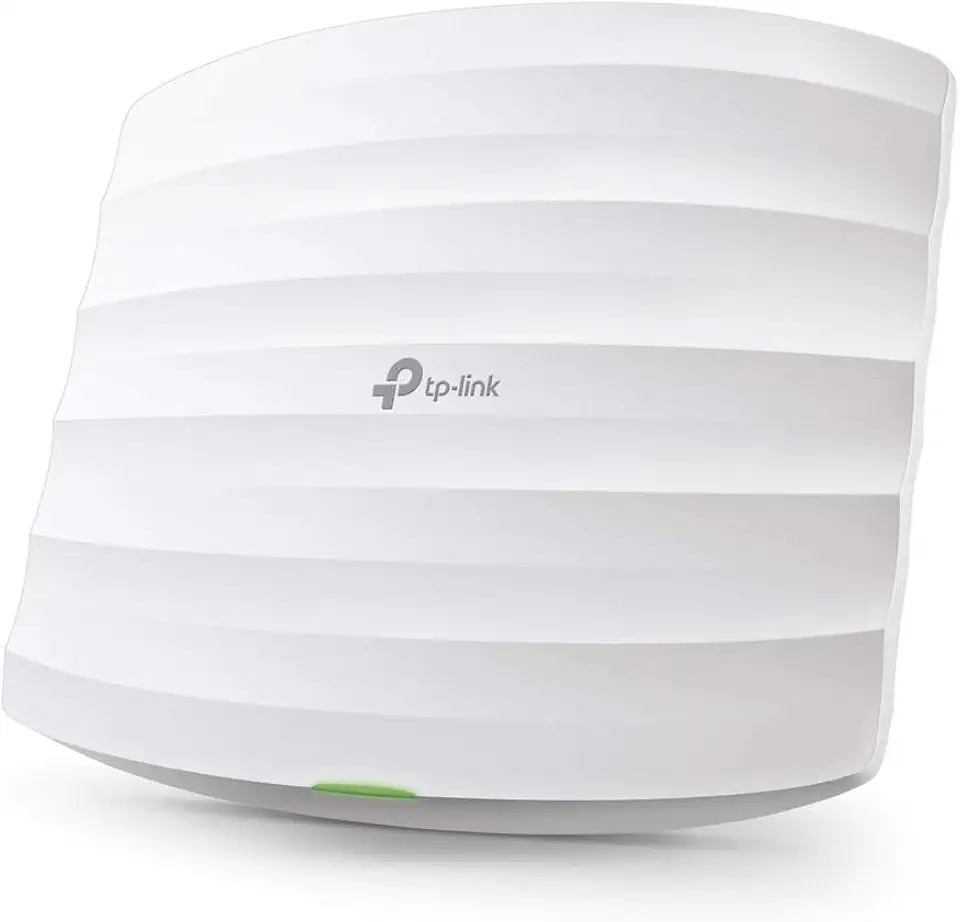
TP-Link Omada AC1750 Gigabit Wireless Access Point (EAP245 V3) - Business WiFi Solution w/Mesh Support, Seamless Roaming & MU-MIMO, PoE Powered, SDN Integrated, Cloud Access & Omada App, White
