Getting Started with Linux CLI: Must-Know Commands | Linux Basics
About
No channel description available.


Video Description
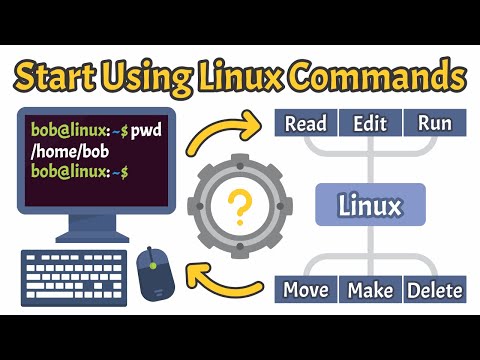
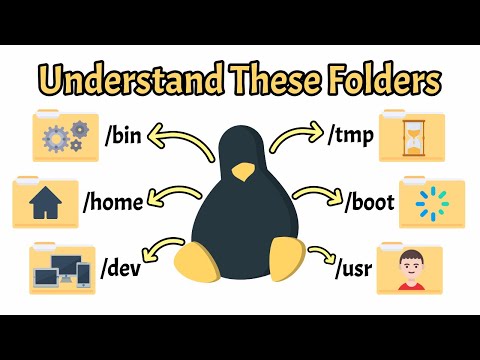
In this video, we cover the most essential Linux terminal commands every beginner should know. From navigating the file system to managing files, processes and permissions directly from the command line. You'll learn how commands like ls, cd, chmod, grep and sudo work, with clear examples and visual explanations that make them easy to understand and remember. Whether you're just starting out or looking to sharpen your terminal skills, this video gives you a solid foundation in the Linux command line. We also explain important options, shortcuts and tips that apply across nearly all Linux distributions. By the end, you'll be more confident using the terminal and ready to explore more advanced tools on your own. No matter which distro you're using — Ubuntu, Debian, Fedora or others — these commands are universal, practical and essential for mastering Linux. 📌 Chapters Covered: - Introduction to the Linux Terminal - Viewing & Navigating Directories (pwd, ls, cd) - Creating Files & Folders (touch, mkdir) - Editing Files in the Terminal (nano, vim) - Viewing File Contents (cat, less, head, tail) - Managing Files & Folders (cp, mv, rm, rmdir) - Permissions & Ownership (chmod, chown, sudo) - Searching & Filtering (find, locate, grep) - Getting System Info (whoami, uname, uptime, df, du, top, ps) - Package Management and Help (apt, man, --help) - Shortcuts & Productivity (alias, history, clear) - Downloading & Archiving (wget, tar) Link to our video on Linux File System: https://youtu.be/ISJ44S5sZu8 🎓 Join our growing community of tech enthusiasts and start learning today! ▶️ Subscribe now: https://www.youtube.com/@WhiteboardDoodles24 📌 Follow us for updates: - Facebook: https://www.facebook.com/WhiteboardDoodles24/ - Instagram: https://www.instagram.com/whiteboarddoodles24/ Timestamps: 00:00 - Intro 00:20 - Understanding the Terminal 01:14 - pwd 01:38 - ls 03:06 - cd 03:58 - clear 04:20 - history 04:55 - touch 05:28 - mkdir 06:06 - nano 06:42 - vim 07:23 - cat, less, head & tail 08:16 - echo & whoami 08:50 - uname & uptime 09:24 - cp 10:08 - mv 10:45 - rm & rmdir 11:37 - sudo 12:14 - chmod & chown 13:14 - find 14:22 - locate 15:32 - grep 16:27 - df –h & du –sh 17:11 - top 17:41 - ps aux 18:17 - sudo apt 18:57 - man & ––help 19:33 - alias 20:24 - wget 21:01 - tar 21:44 - Conclusions 22:13 - Outro #linux #linuxbasics #whiteboarddoodles









Linux CLI Learning Kit
AI-recommended products based on this video

MeLE Quieter DL Mini PC Windows 11 Home, N100 4GB 128GB, 2.5G Dual LAN,IoT Industrial Desktop Computer Support Windows 10 11 Linux Ubuntu Debian 4K Triple Display, Dual HDMI, All-in-One USB-C

10.1 Inch Touch Portable Monitor IPS Screen 1366x768P 60Hz 400 Brightness 99% sRGB HDMI USB-C Monitors Switch for Xbox PS3/4/5 Laptop Compatible with Raspberry Pi, Mini Touch Screen

ELECROW 8 Inch Portable Monitor, 1280x800 Mini HD Display with Built-in Speakers, USB Powered, Non-Touch LCD Screen for Raspberry Pi, PC, Laptop, Jetson Nano, Game Consoles

7 Inch Portable Monitor Touchscreen HD 1024x600 LED Display Dual HDMI Port Small Monitor for PC Raspberry Pi Laptop Computer Xbox PS4/5 Switch Built-in Speakers

BrosTrend 1800Mbps WiFi 6 Linux WiFi Adapter for PC and Raspberry Pi 2+, Long Range USB WiFi Dongle Linux for Ubuntu, Mint, Debian, Kubuntu, Lubuntu, Zorin, Windows 11/10, Dual Band Wireless Antenna
BrosTrend 1800Mbps WiFi 6 Linux WiFi Adapter for PC and Raspberry Pi 2+, Long Range USB WiFi Dongle Linux for Ubuntu, Mint, Debian, Kubuntu, Lubuntu, Zorin, Windows 11/10, Dual Band Wireless Antenna

BrosTrend Linux WiFi Adapter for Ubuntu, Mint, Debian, Lubuntu, Xubuntu, Mate, Zorin, PureOS, Raspberry Pi 2+, Windows 11/10, 1200Mbps, 5GHz/2.4GHz, Long Range 2 X 5dBi External Antennas, USB3.0

BrosTrend 650Mbps Linux WiFi Adapter for Ubuntu, Mint, Debian, Kubuntu, Lubuntu, Xubuntu, Zorin, PureOS, Raspberry Pi 2+, Windows 11/10/8/7/XP 5G/2.4G

BrosTrend Linux USB WiFi Adapter 1200Mbps Supports Ubuntu, Mint, Debian, Kubuntu, Mate, Zorin, PureOS, Raspberry Pi 2+, Windows 11/10, USB3.0 Wireless Dual Band Wi-Fi 5GHz/867Mbps + 2.4GHz/300Mbps

BOSGAME Linux Mini PC, Intel 12th N100 16GB DDR4 RAM 512GB SSD Linux Server Computers Preinstalled Ubuntu 22.04,Support 4K Triple Display/USB3.2/WiFi 5/2.5GbE
