HOW TO: Digital Planning in OneNote + FREE Digital Planner!

KDigitalStudio
@kdigitalstudioAbout
Hey hi hello! 👋 I’m K, a creative spirit who blends tech and creativity to bring you weekly videos about living a more productive and inspired life. From digital planning and note-taking to tech tutorials and fun design projects, my channel is where planning meets play and productivity gets a creative twist. Whether you’re setting goals, organizing your life, or diving into the world of digital tools, I’m here to help you unlock your potential and make every day beautifully productive. Subscribe and let’s build a life you love with the tools you adore! 💜
Latest Posts


Video Description
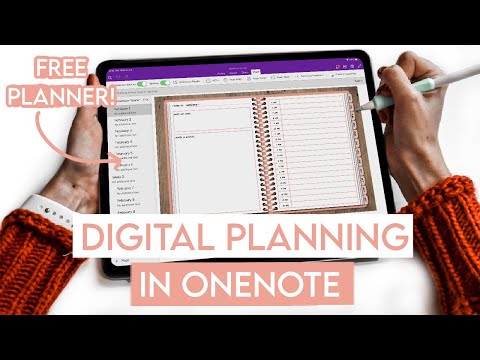
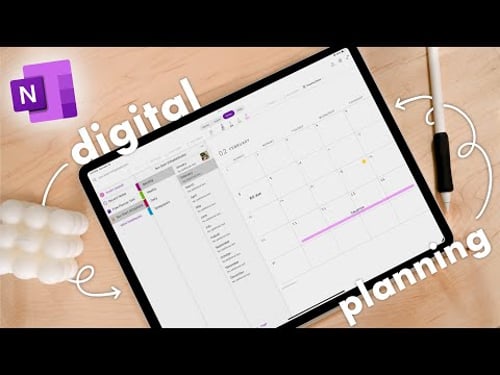
Today, I am diving into how to digital plan and use a digital planner in OneNote. OneNote is a great option for those who have devices operating on different systems and is available across Windows and OS devices! This video has since been updated. The links below will bring you to the updated video, along with the updated FREE OneNote Digital Planner. ________________________________________________________________________ ✹ FEATURED FROM VIDEO Digital Planning in OneNote (updated): https://youtu.be/rL-R-QUAdak DOWNLOAD FREE ONENOTE PLANNER: https://kdigitalstudio.myflodesk.com/onenote-planner How to import a notebook into OneNote (plus troubleshooting tips!): https://support.microsoft.com/en-au/office/export-and-import-onenote-notebooks-a4b60da5-8f33-464e-b1ba-b95ce540f309 ________________________________________________________________________ ✹ MY iPAD FAVES Apple Pencil grip: https://amzn.to/3nW7Tbr Apple Pencil sleeve: https://amzn.to/3OoxN2s iPad screen protector: https://paperlike.com/kdigitalstudio Other favorites: https://kdigitalstudio.com/pages/favorite-products ________________________________________________________________________ ✹ FREEBIES & SHOP Download freebies: https://kdigitalstudio.com/freebies My shop: https://kdigitalstudio.com/shop ________________________________________________________________________ ✹ STAY CONNECTED Instagram: https://instagram.com/kdigitalstudio Twitter: https://twitter.com/kdigitalstudios TikTok: https://tiktok.com/@kdigitalstudio Newsletter: https://view.flodesk.com/pages/62ffc8e31b896ee5dd7f0689 ________________________________________________________________________ ✹ MUSIC CREDITS Epidemic Sound: https://www.epidemicsound.com/referral/ktegpt/ ________________________________________________________________________ ✹ IMPORTANT INFO Disclaimer: Links may be affiliate and help support the channel at no additional cost to you. All thoughts are my own, of course! And sponsorships are always disclosed. Email for business inquiries only: [email protected] © KDigitalStudio, LLC. Do NOT repost my content on any platform.










Upgrade Your Gear Today
AI-recommended products based on this video

Ball Head Manbily Tripod Head Metal Aluminum Body 360° Panoramic Monopod Head with Extra Arca Swiss Quick Release Plate, Load up to 17.6lbs/8kg,Camera Head for DSLR, Camcorder, Slider (Red)

koolehaoda L Shape Camera Bracket, Video Vertical Shooting Quick Release Plate L Stand Arca Swiss Compatible for Tripod Head Ballhead DSLR Camera

Heavy Duty Tripod Gimbal Head, Aluminum Alloy 360° Panorama Gimbal with for Arca Swiss Standard Quick Release Plate and Bubble Level, with 1/4 Inch and 3/8 Inch Screws

NEEWER a6700 L Plate Compatible with Sony Alpha 6700, Quick Switch Aluminum Extendable Side Plate & Anti Twist Baseplate Compatible with Arca Swiss QR System DJI RS 2 RSC 2 RS 3 Pro Gimbals, CA048

SanDisk 4TB Extreme Portable SSD - Up to 1050MB/s, USB-C, USB 3.2 Gen 2, IP65 Water and Dust Resistance, Updated Firmware - External Solid State Drive - SDSSDE61-4T00-G25

SmallRig ZV-E1 Camera Baseplate for Sony ZV-E1, Built-in Cold Shoe Mount and QR Plate (for Arca) Quick Switch Between Tripod and Stabilizer for DJI RS 2 / RSC 2 / RS 3 / RS 3 Pro - 4314

SmallRig Baseplate for Sony Alpha 6700, Bottom Mount Plate Built-in Quick Release Plate for Arca, Supporting Quick Switch Between Tripod and Stabilizer (for DJI RS 2 / RSC 2 / RS 3 / RS 3 Pro) - 4338