How To Fix Dell Laptop/PC No Bootable Device Found / dell laptop fix "No boot device found Dell EASY


Whiszan Tech
@whiszantech2425About
Thank you for visiting our About page. At Whiszan Tech, we are committed to providing you with comprehensive tutorials and technical support to ensure a seamless experience with Windows and Android on your computer and other devices. The term "Easy" inspires our approach; we believe that with clear, simplified, step-by-step instructions, any user can resolve most technical issues encountered while using these gadgets. We strive to respond to questions and comments on every video, offering viewers a personalized experience with the solutions we propose in our content. Subscribe and turn on bell notification and never miss any update 10 subs ✅ 100 subs ✅ 500 subs ✅ 1000 subs ✅ 5000 subs ✅ 10,000 subs ✅ 50,000 subs ✅ 100,000 subs ✅ 500,000 subs 1,000,000 subs


Video Description
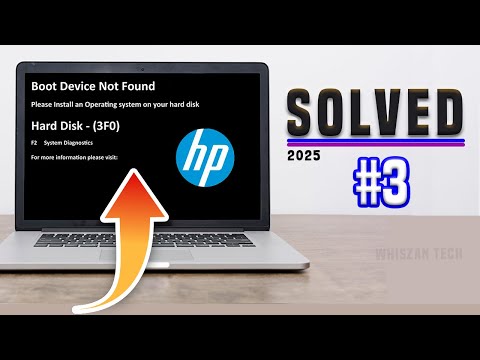
➡️ABOUT THIS VIDEO Addressing the "Boot Device Not Found - Hard Disk (3F0)" error during computer or laptop startup requires troubleshooting. The problem may arise if the system attempts to boot from an alternative device, such as a USB key or CD, instead of the designated hard drive. Resolve this issue by adjusting the BIOS boot options. The occurrence of the no boot device found error code upon boot-up may stem from a failing or non-functional hard drive. Additionally, this boot error might indicate that your BIOS settings are configured for legacy boot rather than secure boot or UEFI boot. ➡️HOW TO FIX THIS ISSUE ON HP LAPTOP 1:https://youtu.be/ng97q_m-Gg8?si=CRSWSNyTafGnpcj6 2:https://youtu.be/lZqxJML7rGs?si=ysGeQcHCfpe7VXMR ➡️HOW TO CREATE A WINDOWS 10/11 BOOTABLE FLASH DRIVE https://youtu.be/_pRJLMQOR9I?si=u8pdIQ8PMpsYkr1j ➡️PLEASE SUBSCRIBE, LIKE AND SHARE🙏 #bootdevicenotfounddell #nobootdevicefounddelllaptop #delllaptop #error3f0 #nobootdeviceondell #bootdevicenotfoundondell #can'tbootdell





No Recommendations Found
No products were found for the selected channel.