How to Make an eCommerce Website with WordPress and WooCommerce
About
No channel description available.



Video Description
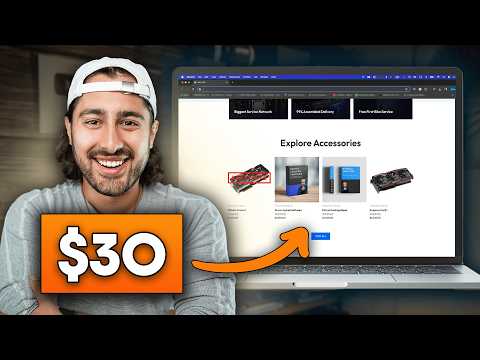
Here's the discounted web hosting (78% OFF) + free domain name discussed in the video: 👉https://createaprowebsite.com/hosting112 Make sure coupon code "CREATEAPROWEBSITE" is used at checkout for the full discount 👆 Step-By-Step Woocommerce Tutorial | Create an eCommerce Store with WordPress 2024 Learn how to make a High Converting eCommerce store for just $30. This easy guide shows you how to build a website step-by-step and be ready to sell your products online in no time at all! TIMESTAMPS 00:00 - INTRO 01:13 - Chapter 1: Build the site Step 1: Domain and Hosting 02:01 - Signup for Domain & Hosting 04:30 - Hostinger Onboarding Process 07:18 - Website Propagation 09:09 - Step 2: Download a Template 09:49 - Installing and Activating a Starter Template 10:31 - Downloading and Installing a Starter Template 13:02 - Viewing the Newly Installed Template 14:19 - Step 3: Customize your website 15:12 - How to Open Elementor 17:17 - Elementor Basics Overview 23:19 - Editing the Hero Section 28:18 - Website Propagation Completed 28:59 - Editing the Featured Products Section 29:43 - Editing the Graphics Cards section 30:24 - How to Get Free Images 31:06 - Graphics Cards Category Section 31:51 - Ram Category Section 32:07 - Gaming Keyboard Category Section 32:31 - Why Choose Us Section 34:11 - Graphics Cards Products Section 34:56 - Sign Up for Course Section 36:13 - CTA Section 37:50 - Previewing the Homepage 39:10 - Other Pages 39:30 - About Page 42:31 - Contact Page 47:31 - Previewing the Website 47:58 - Editing the Header and Footer 48:36 - Making a Free Logo 52:42 - Uploading Logo to the Website 54:24 - Editing the Header 56:25 - Editing the Navigation 57:44 - Editing the Remaining Header 58:21 - Editing the Footer 01:03:08 - Mobile Responsiveness 01:05:58 - INTERMISSION: COFFEE BREAK!!! 01:06:19 - Chapter 2: Ecommerce stuff 01:07:07 - Chapter 2: Step 1: Adding Products 01:07:57 - Deleting the Dummy Products 01:08:49 - Creating a Simple Product 01:22:42 - Previewing a Simple Product 01:25:57 - Creating a Variable Product 01:33:22 - Previewing a Variable Product 01:34:18 - Creating a Digital Product 01:38:16 - Previewing a Digital Product 01:38:59 - Creating a Downloadable Product 01:41:59 - Previewing a Downloadable Product 01:42:45 - Creating an Affiliate Product 01:46:59 - Previewing an Affiliate Product 01:47:45 - Creating a Grouped Product 01:49:42 - Previewing a Grouped Product 01:49:58 - Upsells & Cross Sells 01:51:51 - Chapter 2: Step 2: Categorization 01:53:16 - Delete the Extra Categories 01:53:31 - Adding new Category 01:54:12 - Adding a new Featured Product Category 01:55:10 - Adding Products to Featured Product Category 01:55:56 - Previewing the Featured Category (Products Added Automatically) 01:56:38 - Creating new product and adding to featured category (fast) 01:57:04 - Checking products in Featured Categories and Other Categories 01:57:25 - Showing the Different Category 01:58:23 - Tags 01:59:01 - Chapter 2: Step 3: WooCommerce Pages 02:00:48 - Editing the Shop (Product Catalog) Page 02:04:22 - Editing the Single Product Page 02:06:14 - Editing the Cart Page 02:06:37 - Editing the Checkout Page 02:07:05 - Creating a Terms and Conditions Page 02:07:57 - Editing the Checkout Page Again 02:08:49 - Product Images Settings 02:09:22 - Store Notice Tab 02:09:54 - Editing the WooCommerce Sidebar 02:13:06 - Chapter 2: Step 4: Payment Processing 02:13:51 - WooCommerce General Settings 02:14:23 - Setting up PayPal 02:16:30 - Setting Up Stripe 02:21:40 - Testing Stripe Mode 02:22:11 - Switching Stripe Testing Mode to Live 02:22:29 - Checking the Stripe Live Mode 02:23:09 - Shipping Methods 02:25:05 - Creating Flat Rate Shipping Method 02:25:59 - Creating Free Shipping Method 02:28:41 - Creating Express Shipping Method 02:29:18 - Creating Next Day Shipping Method 02:29:47 - Testing Shipping Methods 02:31:32 - Coupon Codes 02:34:13 - Creating 20% OFF Coupon Code 02:38:33 - Testing 20% OFF Coupon Code 02:39:29 - Creating Free Shipping Coupon Code 02:40:45 - Testing Free Shipping Coupon Code 02:41:15 - Creating a $20 OFF Coupon Code 02:41:48 - Fixing the Free Shipping Coupon Glitch 02:43:15 - Editing the $20 OFF Coupon Code Again 02:43:33 - Testing a $20 Coupon Code 02:44:19 - Chapter 2: Step 5: Order Processing 02:44:48 - Placing Test Order 02:45:39 - Checking our Email for placed Order 02:46:13 - Fulfilling the Order 02:48:18 - Checking the email for order completion 02:48:49 - Managing Orders Disclaimer: Some of the links above have an affiliate code - if you purchase with these links, I will receive a small commission at no additional cost to you. Disclaimer: Some of the links above have an affiliate code - if you purchase with these links, I will receive a small commission at no additional cost to you.









No Recommendations Found
No products were found for the selected channel.