iOS 26 Files App: The Feature Apple Doesn't Want You to Know
About
No channel description available.


Video Description
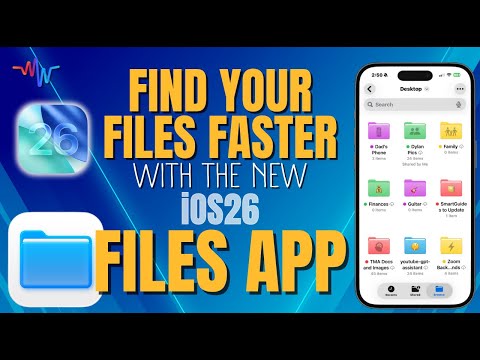
📲 Get today’s free SmartGuide → step-by-step PDF with screenshots👇 https://www.themacwhisperer.com/SG-iOS26-Files Want to Learn MacOS 26? Click here 👉 https://youtu.be/ytIzI0oqpQs 🚀 Master the Files App Like a Pro: Organize, Access & Simplify Your Digital Life If you’ve ever emailed yourself a document just to open it on another device 😅—this video is about to change everything. The Files app is one of the most underrated tools in the entire Apple ecosystem, and in iOS 26, Apple made it smarter, faster, and far more powerful than ever before. Whether you’re managing family photos, business documents, or creative projects, the Files app connects your entire digital world—Mac, iPhone, and iPad—into one seamless workspace. No more searching for that missing file or wondering which device it’s on. With this update, everything you need is right at your fingertips. In this video, I’ll walk you step-by-step through the new tools and hidden tricks that make organizing, sharing, and managing files easier than ever. From custom tags and color-coded folders 🎨 to advanced sorting, grouping, and PDF creation tools, you’ll learn how to turn chaos into clarity—so you can stop wasting time hunting for documents and start actually getting things done. It’s packed with visuals, shortcuts, and MacWhisperer Power Tips to help you follow along and make every lesson stick. ************************************************** ⏱️ Time Stamps (Jump to What You Need Most) [00:00] : 🚀 Intro – Why the Files App Matters [01:05] : 🧭 Navigating the Interface – Recent, Shared, and Browse Tabs [02:21] : 🗂️ Sidebar & Search – Favorites, Locations & Cloud Access [04:58] : 🧩 Organizing Files – Sort, Group, and View Options [08:00] : 🎨 Customizing Folders – Icons, Colors & Emojis [11:00] : 🔖 Using Tags – Systemwide Organization That Syncs Everywhere [13:00] : ☁️ Keeping Files Offline – How to Access Without Internet [14:40] : 🧾 Opening Files – Choose Your Default App & Preview Power [15:10] : ⚡ Quick Actions – Create PDFs, Convert Images & Compress Files [18:55] : 🖨️ Scanning Documents – Built-in Scanner with Smart Filters [21:54] : 🔔 MacWhisperer Power Tip – Create Custom Ringtones from Files ************************************************** 💡 Why This Matters Apple’s Files app isn’t just a storage bin—it’s your personal control center for everything digital. Mastering it means: • No more lost documents 🕵️♂️ • No more double work across devices 🔁 • No more “I’ll email that to myself later” moments 📬 • Just pure, efficient productivity 🙌 Once you understand these tools, you’ll unlock a level of organization you didn’t even know was possible—across all your Apple devices. ************************************************** 🚀 How to Work with The MacWhisperer 🌟 Join the YouTube Membership → Get live classes, member-only Q&As, and bonus resources: 👉 https://www.youtube.com/channel/UCsoApqvjdsckFU5JgTM2_2A/join 🎓 The MacWhisperer Academy → Master your Apple tech with interactive courses & coaching: 👉 https://www.themacwhisperer.com/offers/Cf4MEMAP 📺 Subscribe on YouTube → Don’t miss future Apple tips, tricks & power lessons: 👉 https://www.youtube.com/c/TheMacWhisperer ************************************************** 🌐 Let’s Connect 📸 Instagram: instagram.com/the_macwhisperer 🗣️ Facebook: facebook.com/AmericasMacAuthority 👨💼 LinkedIn: linkedin.com/in/macwhisperer 👉 Don’t forget to Like 👍, Subscribe 🔔, and Comment 💬 below — I’d love to hear which Files feature you’re most excited to use first!




No Recommendations Found
No products were found for the selected channel.