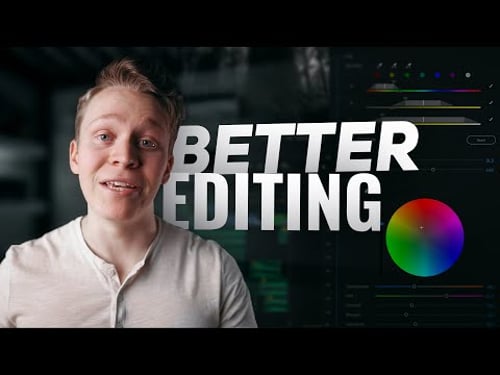
11 More SIMPLE Tricks for BETTER EDITING - Adobe Premiere Pro CC Tutorial

Aidin Robbins
@aidinrobbinsAbout
Filmmaker based in the Blue Ridge.
Latest Posts



Video Description
Thanks to Artgrid for sponsoring this video! Sign up here for an additional two months free: https://bit.ly/307JPqG A continuation of a tutorial from last year- sharing 11 more frustratingly simple tricks for better video editing in Adobe Premiere Pro CC. Improving Premiere's speed, fixing flickering lights, improving audio, and so much more. Hope you learn something new ;) Become a channel member to access raw footage and extended tutorials: https://www.youtube.com/channel/UCcOTVI8YJJud1A6aRYrV4sg/join 📧 Contact Me: [email protected] 📸 Instagram: http://www.instagram.com/aidinrobbins 🎵 Music I use for my videos (first month of an individual subscription free with code AIDIN): http://share.mscbd.fm/aidinrobbinsplaylist 🎧 Sound effects I use for my videos: https://bit.ly/2WI2aJ7 🎥 Stock footage I use for my videos (additional two months free): https://bit.ly/307JPqG 👕 The best shirts, sweatshirts, and hoodies in the game: https://cuts.team/aidinrobbins (15% off with code AIDINROBBINS) 📷 Gear I used to make this video: Main camera: https://geni.us/aidineosr Other camera: https://geni.us/aidinbmpcc4k Speed Booster: https://geni.us/aidinspeedbooster Light: https://geni.us/aidin120dii Softbox: https://geni.us/aidinsoftbox Drone: https://geni.us/aidindrone Camera bag: https://geni.us/aidinbag Sigma 14mm f/1.8: https://geni.us/aidin14mm Sigma 20mm f/1.4: https://geni.us/aidin20mm Sigma 35mm f/1.4: https://geni.us/aidin35mm Sigma 85mm f/1.4: https://geni.us/aidin85mm SSD: https://geni.us/aidinssd SD Cards: https://geni.us/aidinsd ND Filters: https://geni.us/aidinnds Microphone: https://geni.us/aidinmic Microphone: https://geni.us/aidinmic2 Tripod: https://geni.us/aidintripod Hard Drives: https://geni.us/aidindrives FULL KIT: https://kit.co/aidinrobbins ✏️Fonts used: Uni Sans Oswald Futura 0:00 - Intro 0:56 - Overview 1:49 - GPU Acceleration 2:26 - Import Sequences 3:20 - Optical Flow 4:37 - Remove Flicker 5:09 - Sponsor 6:51 - Warp Stabilizer 7:37 - Add Motion Blur 8:19 - Remove Noise 8:55 - Anchor Point 9:31 - Master Volume 10:30 - Parametric EQ 11:35 - Batch Export 12:37 - Outro The links above are affiliate links, from which I gain a small monetary compensation when purchases are made. They help keep the lights on ;)




No Recommendations Found
No products were found for the selected channel.