Notes vs Reminders Which should you use?

About
No channel description available.


Video Description
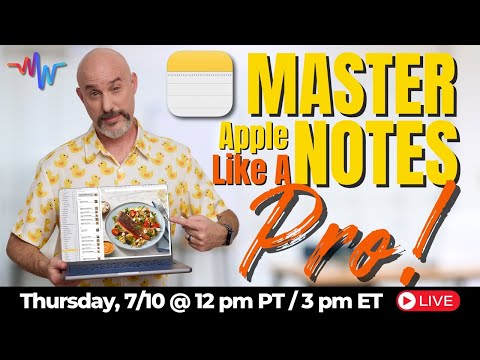
Get today’s free SmartGuide → step-by-step PDF with screenshots https://www.themacwhisperer.com/tmw-iPhone-course 📝 Notes vs. Reminders: The Ultimate Showdown! 🖥️ Hey MacWhisperer Fam! Dylan Stewart here, your go-to MacWhisperer. It's time we finally answer the age-old question: Should you use Notes or Reminders? Stick around and we'll find out! In today's video, I'll compare these two powerful applications in five separate categories to help you decide when to use one versus the other. But don't slip out the back door before hearing my MacWhisperer Power Tip – it will make everything easier, regardless of which app you choose! 🙌 🔗 Timestamps: [00:00:00] 📣 Intro [00:00:43] ⚖️ Category 1: Ease of Use [00:03:23] 📋 Category 2: Level of Detail [00:05:55] 🔍 Category 3: Searching [00:07:53] 🗂️ Category 4: Filing and Sorting [00:10:50] 🚀 Category 5: Productivity [00:14:38] 🏆 Conclusion: Who Won? [00:16:38] 🌟 MacWhisperer Power Tip: Using Siri with Notes & Reminders Key Takeaways: ⚖️ Ease of Use Notes is incredibly simple and intuitive, earning 5 Steves. Reminders, while powerful, can be overwhelming for beginners, earning 2 Steves. 📋 Level of Detail Notes allows for rich formatting, images, and secure notes, earning 5 Steves. Reminders excels in list management and collaboration, earning 4 Steves. 🔍 Searching Notes shines with easy and effective search capabilities, earning 5 Steves. Reminders struggles with search, earning just half a Steve. 🗂️ Filing and Sorting Notes offers folders and subfolders but requires manual organization, earning 3 Steves. Reminders automatically sorts tasks into lists, earning 5 Steves. 🚀 Productivity Notes is great for quick to-do lists but falls short for complex projects, earning 1.5 Steves. Reminders excels in task management and collaboration, earning 5 Steves. 🌟 MacWhisperer Power Tip: Using Siri with Notes & Reminders Siri enhances both apps significantly. Use Siri to quickly add reminders and notes, set location-based reminders, and even search for specific notes with ease. --- 📣 Join the Conversation! What did you think of today's lesson? Drop your comments and questions below! If you learned something amazing, give this video a thumbs up 👍 and while you're down there, don't forget to subscribe and hit the notification bell 🔔 so you never miss out on new content! --- I'm Dylan Stewart, The MacWhisperer, and it's my passion and profession to help you get more done with your Apple products than you ever thought possible. See you next time! 👋 Follow the MacWhisperer: 👨💼 LinkedIn: https://linkedin.com/in/macwhisperer 📸 Instagram: https://instagram.com/the_macwhisperer 🗣️ Facebook: https://facebook.com/AmericasMacAuthority






Upgrade Your Note-Taking Today
AI-recommended products based on this video

Syntech USB C to USB Adapter Pack of 2 USB C Male to USB3 Female Adapter Compatible with MacBook Pro 2021 iMac iPad Mini 6/Pro MacBook Air 2020 and Other Type C or Thunderbolt 4/3 Devices Space Grey

ProCase Smart Case for iPad mini 7 A17 Pro 2024/ Mini 6 2021 8.3 Inch, Hard Back Cover for iPad mini 8.3" 7th Gen A2995/A2996/A2993/6th Gen A2567 A2568 A2569 -Navy

ProCase Smart Case for iPad mini 7 A17 Pro 2024/ Mini 6 2021 8.3 Inch, Hard Back Cover for iPad mini 8.3" 7th Gen A2995/A2996/A2993/6th Gen A2567 A2568 A2569 -Black

140W C to C Super Fast Charger,Compatible with MacBook Pro 16, 15, 14, 13 Inch, MacBook Air 13 Inch, iPad Pro 2021/2020/2019/2018, Lenovo and All Type C Devices 7.2ft
