💻 Optimize Your Mac: Top Settings to Change Right Now! 🚀
About
No channel description available.



Video Description
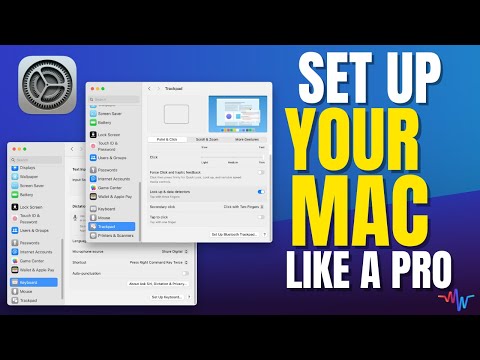
🖥️ Master Your Mac: Essential Settings for Optimal Performance! 💻 Get Free Smart Guide: https://www.themacwhisperer.com/sg-mac-basics-settings Hey MacWhisperer Fam! Dylan Stewart here, your go-to MacWhisperer. Did you just get a new Mac? Or maybe you've had one for a while and are unsure what the best settings are? Stick around, I've got you covered. In this lesson, I'll teach you the essential settings to change on a new Mac to make it work perfectly. Stay tuned till the end for my MacWhisperer Power Tip – your Mac will thank you for it! 🙌 And for anybody looking to take their iPhone to the next level, check out my brand new iPhone MasterClass: https://www.themacwhisperer.com/tmw-iPhone-course Early bird pricing is available until 11:59PM Sunday, 6/30! USE CODE: EARLYBIRD350 Get right to the section you need most! 👇 👇 👇 [00:00] 📣 Intro [00:41] ⚙️ Changing System Settings [00:56] 🚫 Turn Off Tap to Click [01:24] ✅ Turn on Right Click for the Mouse [01:45] 🖥️ Changes to Desktop and Dock Section [02:27] 🔥 Hot Corners and Shortcuts [03:28] 🎙️ Dictation Settings [04:06] ☁️ iCloud Drive [04:28] 🔒 Turn off Touch ID for Autofilling Passwords [05:16] 📜 Add Scroll Bars [05:29] 🔊 Add Sound Controls and Focus Control to Your Menu Bar [06:57] 🗂️ Finder Settings [07:45] 📋 Sidebar Settings [10:19] 🛠️ Enable the Finder Status Bar [10:59] 🌐 Safari Settings: Download Location and Settings [12:34] 🏠 New Window and Start Page Settings [13:30] 🌐 Safari Website Settings [14:06] 🔔 Safari Notification Settings [14:48] 🛠️ Customize Safari Toolbar [15:14] ⭐ Enable Favorites Bar [16:32] 🌟 MacWhisperer Power Tip: Customizing the Dock [19:25] 📱 Introducing the iPhone MasterClass Key Takeaways: ⚙️ Changing System Settings 🚫 Turn Off Tap to Click Disable the tap-to-click feature in the Trackpad settings to prevent accidental clicks. ✅ Turn on Right Click for the Mouse Enable secondary click (right-click) in the Mouse settings for better functionality. 🖥️ Changes to Desktop and Dock Section Adjust settings like "Click Wallpaper to Reveal Desktop" and other Desktop and Dock preferences. 🔥 Hot Corners and Shortcuts Configure Hot Corners and keyboard shortcuts to improve workflow efficiency. 🎙️ Dictation Settings Enable dictation in the Keyboard settings and set a convenient shortcut. ☁️ iCloud Drive Turn on synchronization for Desktop and Documents folders in iCloud settings. 🔒 Turn off Touch ID for auto-filling Passwords Disable Touch ID to autofill passwords without your fingerprint 📜 Add Scroll Bars Enable scroll bars in the Appearance settings for better navigation. 🔊 Add Sound Controls and Focus Control to Your Menu Bar Customize the Control Center to always show sound controls and Focus settings. 🗂️ Finder Settings Adjust Finder preferences to show hard drives on the desktop and set default Finder windows. 📋 Sidebar Settings Customize the Finder sidebar for quick access to frequently used folders. 🛠️ Enable the Finder Status Bar Show the Finder status bar to easily see file counts and storage information. 🌐 Safari Settings Set Safari downloads to save to the desktop and adjust other Safari preferences. 🏠 New Window and Start Page Settings Change Safari's new window settings to open with a homepage like Google. 🌐 Safari Website Settings Configure Safari to allow downloads without prompts and manage notifications. 🔔 Safari Notification Settings Turn off "Allow Websites to Ask for Permission" to block unwanted notifications. 🛠️ Customize Safari Toolbar Modify Safari's toolbar to include only the tools you need. ⭐ Enable Favorites Bar Show the Favorites Bar in Safari for quick access to your bookmarks. 🌟 MacWhisperer Power Tip: Customizing the Dock Optimize your Dock by adding the Applications folder and removing unused apps. ***************************** 📣 Join the Conversation! Drop your comments and suggestions below! Did I miss something? Have a better idea? Let's share and learn together. If you found this video helpful, give it a thumbs up 👍 and don't forget to subscribe and hit the notification bell 🔔 so you never miss out on new content! I'm Dylan Stewart, The MacWhisperer, and it's my passion and profession to help you get more done with your Apple products than you ever thought possible. See you next time! 👋 ***************************** Follow the MacWhisperer: 👨💼 LinkedIn: https://linkedin.com/in/macwhisperer 📸 Instagram: https://instagram.com/the_macwhisperer 🗣️ Facebook: https://facebook.com/AmericasMacAuthority







Boost Your Mac's Power Now
AI-recommended products based on this video

Syntech USB C to USB Adapter Pack of 2 USB C Male to USB3 Female Adapter Compatible with MacBook Pro 2021 iMac iPad Mini 6/Pro MacBook Air 2020 and Other Type C or Thunderbolt 4/3 Devices Space Grey

140W C to C Super Fast Charger,Compatible with MacBook Pro 16, 15, 14, 13 Inch, MacBook Air 13 Inch, iPad Pro 2021/2020/2019/2018, Lenovo and All Type C Devices 7.2ft

IFEART 70W USB C Charger for MacBook Air MacBook Pro 13 14 15 16 inch 2025 2024 2023 2022 2021 2020 2019 2018, M1 M2 M3 M4 Laptop USB C Power Adapter, 6.6ft USB C to C Cable, Original Quality

140W C to Magnetic 3 Charger, Compatible with MacBook Air 13, 15 Inch/Mac Book Pro 14, 16 Inch, M1/M2/M3/M4 from 2021/2022/2023/2024/2025 Models, 6.6FT【Original Quality】

MOSISO Laptop Case 13 inch, 13 inch Laptop Sleeve Bag Compatible with MacBook Air 13 M4 M3 M2 M1 2025-2018 / Pro 13 M2 M1 2025-2016, Neoprene Computer Sleeve Bag with Small Case, Space Gray Global Recycled Standard

MOSISO Compatible with MacBook Air 13 inch Case 2021, 2020-2018 Release A2337 M1 A2179 A1932, Plastic Hard Shell&Keyboard Cover&Screen Film&Storage Bag for MacBook Air 13.3 inch Case, Crystal Clear

tomtoc 360° Protective Laptop Sleeve for 13-inch New MacBook Air M4/A3240 2025, M3/A3113, M2/A2681 M1/A2337 A2179 A1932, 13-inch MacBook Pro M2/A2686 M1/A2338, Water-Resistant Computer Case Bag Global Recycled Standard

MOSISO 13-14 inch Laptop Case, 13.3 inch Puffy Laptop Sleeve Compatible with MacBook Air 13 13.6 M4 M3 M2 M1/Pro 13/Pro 14,HP,Dell,ASUS, Lenovo, Polyester Horizontal Bag with Small Case, Rose Red Global Recycled Standard

Apple 2025 MacBook Air 13-inch Laptop with M4 chip: Built for Apple Intelligence, 16GB Unified Memory, 256GB SSD Storage, Touch ID; Sky Blue - English Keyboard

Lenovo USA ThinkPad Thunderbolt 3 Dock Gen 2 135W (40AN0135US) Dual UHD 4K Display Capability, 2 HDMI, 2 DP, USB-C, USB 3.1, Black

135W Power Adapter Cord for Lenovo ThinkPad Universal Thunderbolt 4 3 Dock/USB C Smart Dock/Thunderbolt 3 Essential Gen 1 2/ThinkPad Hybrid USB-C with USB-A/Ultra/Pro/Gen 2

Anker USB C Charger Cable (6ft 100W, 2Pack), USB 2.0 Type C Fast Charging Cable for iPhone 15 / 15Pro / 15Plus / 15ProMax MacBook Pro 2020, iPad Pro 2020, iPad Air 4, Samsung Galaxy S23+/S23 Ultra ClimatePartner certified
![Anker USB C Cable, [2-Pack, 6 ft] Type C Charger Premium Nylon USB Cable, USB A to Type C Charging Cable Fast Charge for Samsung Galaxy S10 S10+ / Note 8, LG V20 and Other USB C Charger (Black)](https://m.media-amazon.com/images/I/71N7xhCJnoL._AC_UL960_FMwebp_QL65_.jpg)
Anker USB C Cable, [2-Pack, 6 ft] Type C Charger Premium Nylon USB Cable, USB A to Type C Charging Cable Fast Charge for Samsung Galaxy S10 S10+ / Note 8, LG V20 and Other USB C Charger (Black)

Anker Nano USB C Wall Charger,45W Fast Charging Smart Display Charger,with 180°Foldable Plug,Smart Recognition,Built-in Care Mode,for iPhone17/16/15 (Non-Battery,One USB-C Port,No Cable Included) ClimatePartner certified

Bose QuietComfort Wireless Noise Cancelling Headphones, Bluetooth Over Ear Headphones with Up to 24 Hours of Battery Life, Moonlight Grey - Limited Edition

Logitech G203 Wired Gaming Mouse, 8,000 DPI, Rainbow Optical Effect LIGHTSYNC RGB, 6 Programmable Buttons, On-Board Memory, Screen Mapping, PC/Mac Computer and Laptop Compatible - Black

Logitech G305 Lightspeed Wireless Gaming Mouse, Hero 12K Sensor, 12,000 DPI, Lightweight, 6 Programmable Buttons, 250h Battery Life, On-Board Memory, PC/Mac - Black

SanDisk 4TB Extreme Portable SSD - Up to 1050MB/s, USB-C, USB 3.2 Gen 2, IP65 Water and Dust Resistance, Updated Firmware - External Solid State Drive - SDSSDE61-4T00-G25
Anker USB C Cable, [2-Pack, 6 ft] Type C Charger Premium Nylon USB Cable, USB A to Type C Charging Cable Fast Charge for Samsung Galaxy S10 S10+ / Note 8, LG V20 and Other USB C Charger (Black)

TP-Link USB to Ethernet Adapter (UE306) - Foldable USB 3.0 to Gigabit Ethernet LAN Laptop Network Adapter, Supports Nintendo Switch, Windows, Linux, Apple MacBook OS 10.11- OS 12, Surface
![TP-Link USB C To Ethernet Adapter (UE300C) - J45 To USB C [Thunderbolt 3/4 Compatible] Type-C Gigabit Ethernet LAN Network Adapter, Compatible With Apple MacBook Pro 2017-2023, MacBook Air, And More](https://m.media-amazon.com/images/I/418xZkoG-RL._AC_UY654_FMwebp_QL65_.jpg)
TP-Link USB C To Ethernet Adapter (UE300C) - J45 To USB C [Thunderbolt 3/4 Compatible] Type-C Gigabit Ethernet LAN Network Adapter, Compatible With Apple MacBook Pro 2017-2023, MacBook Air, And More

Laptop Sleeve Case 11–14 Inch MacBook Air MacBook Pro Surface Laptop Dell XPS 13 HP Envy Pavilion Lenovo Yoga Slim IdeaPad Acer Swift Chromebook Samsung Galaxy Book Shockproof Leather Bag Colour Blue

ProElife 13.3-14 Inch Sleeve Case for 2025-2021 MacBook Pro/Air M4 M3 M2 M1, Lenovo, Surface, HP, Dell, Waterproof PU Leather Surface Traveling Carrying Bag Cover Simple Case with Pocket (Pink)

EooCoo Case Compatible with MacBook Air 13 inch M4 M3 M2 2025-2022 A3240 A3113 A2681, Plastic Hard Case & TPU Keyboard Skin & Screen Protector for Laptop Air 13.6 inch - Crystal Clear Global Recycled Standard
