Photoshop Secrets: 10 Rules I Wish I Knew When I Started

About
No channel description available.
Latest Posts


Video Description
Discover 10 Photoshop must-know tricks and best practices every beginner must know! From choosing the right settings to ensuring highest quality, learn how to avoid the most common mistakes. 🚀 Join PiXimperfect Pro - The Ultimate Photoshop Training Course: https://pix.live/pro In this tutorial, we'll explore techniques to avoid banding, exporting the right way so the colors don't change, best practices for non-destructive editing, the right way to use multiple layer masks, among many more techniques that most beginners get wrong in Photoshop. I hope this video helps you. Thank you so much for watching :) ► TIMESTAMPS: 00:00 Intro 00:23 Rule 1 - High Quality Editing 01:56 Rule 2 - Proper Color on Export 03:18 Rule 3 - Importing Raw Photos 05:28 Rule 4 - Multiple Masks 07:12 Rule 5 - Smart Objects 09:41 Rule 6 - Muscle Memory 11:05 Rule 7 - Cloud Documents 12:56 Rule 8 - Dangerous Setting 14:04 Rule 9 - Photoshop Beta 14:51 Rule 10 - Paste Properly 15:45 Wishes to You! ► RECOMMENDED SOFTWARE & CREATIVE RESOURCES: ✅ Official PiXimperfect Compositing Plugin: https://pix.live/pixcomposite ✅ The Best A.I. Powered High-End Portrait Retouching Plugins: https://pix.live/retouch4me ✅ Unlimited Photoshop Actions, Plugins, Brushes, Assets, etc: https://pix.live/envato ✅ The Best Professional Plugin for Color Grading: https://pix.live/infinitecolor ✅ Best Plugin for Landscape & Astrophotography: https://pix.live/propanel ✅ Try Photoshop for Free: https://pix.live/photoshop ✅ Music Used in PiXimperfect Videos: https://pix.live/music ► THE GEAR I USE: ✅ My Graphic Tablet: https://pix.live/wacompro ✅ Recommended Budget Tablet: https://pix.live/wacomlite ✅ Primary Microphone: https://pix.live/mic1 ✅ Budget Microphone: https://pix.live/mic2 ✅ Audio Interface: https://pix.live/audiointerface ✅ Camera: https://pix.live/camera ✅ Lens: https://pix.live/lens ► LET'S CONNECT: Instagram: https://www.instagram.com/piximperfect Facebook: http://facebook.com/piximperfect Twitter: https://twitter.com/piximperfect
You May Also Like



![Is Selecting Hair STILL a Pain in Photoshop? [SOLUTION]](https://imgz.pc97.com/?width=500&fit=cover&image=https://i.ytimg.com/vi/WSfSs9wmbO8/hqdefault.jpg)

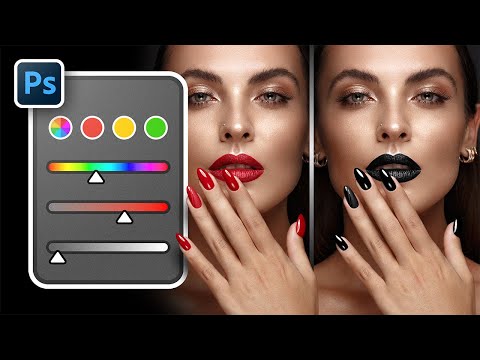





Essential Photoshop Tools
AI-recommended products based on this video

Crucial T705 4TB PCIe Gen5 NVMe M.2 SSD - Up to 14,100 MB/s - Game Ready - Internal Solid State Drive (PC) - +1mo Adobe CC - CT4000T705SSD3
