Pivot Table Mistakes You're Probably Making (And How to Fix Them!)

About
No channel description available.
Latest Posts



Video Description
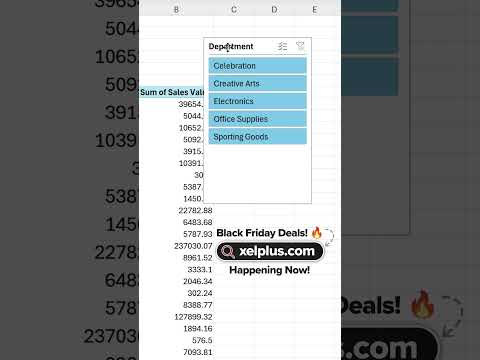
🔥 Unlock the power of Pivot Tables—transform your data into insights today! 👉 https://link.xelplus.com/yt-g-mistakes-pivottable In this video we address common pivot table related questions and how you can avoid them: How can I make sure my pivot table doesn't show outdated data? 🤔 How can I connect a slicer to multiple pivot tables? How can I VLOOKUP on a pivot table? 😫 Should I stick to the default look of pivot tables? 🔥 400,000+ professionals trust our courses—start your journey here 👉 https://link.xelplus.com/yt-d-all-courses I've summarized these as the 3 most common Pivot Table mistakes that are slowing you down: 1. Auto-Refresh Your Pivot Table – Learn how to make Excel update your data automatically! 2. Use One Slicer for Multiple Pivot Tables – Easily filter several Pivot Tables with just one slicer. 3. Stop Using VLOOKUP/XLOOKUP – Save time by combining data from multiple tables without writing any formulas. 4. Bonus Tip: I’ll also show you how to give your Pivot Tables a clean, professional look in just one minute! 00:00 Common Pivot Table Mistakes 00:06 Auto-Refresh your Excel Pivot Table 01:38 Use One Slicer for Multiple Pivot Tables 03:46 Not Using Power Pivot 07:07 Missing Formatting 💡 Ready to master Pivot Tables? Click the link to join my course: Pivot Table Essentials: Basics to Mastery 👉 https://www.xelplus.com/course/excel-pivot-tables/ With practice files, templates, and quizzes, you’ll learn everything you need to become a Pivot Table pro! 📨 Subscribe to "Between the Sheets" newsletter to stay on top of office tips and Excel hacks: https://link.xelplus.com/yt-d-newsletter ➡️ Join this channel to get access to perks: https://www.youtube.com/channel/UCJtUOos_MwJa_Ewii-R3cJA/join 🎬 LINKS to related videos: Excel Pivot Table EXPLAINED in 10 Minutes: https://youtu.be/UsdedFoTA68 Advanced Pivot Table Techniques: https://youtu.be/yHzT_BUggQk 👕☕ Get the Official XelPlus MERCH: https://xelplus.creator-spring.com/ 🎓 Not sure which of my Excel courses fits best for you? Take the quiz: https://www.xelplus.com/course-quiz/ 🎥 RESOURCES I recommend: https://www.xelplus.com/resources/ More resources on my Amazon page: https://www.amazon.com/shop/leilagharani 🚩Let’s connect on social: Instagram: https://www.instagram.com/lgharani LinkedIn: https://www.linkedin.com/company/xelplus This description contains affiliate links, which means at no additional cost to you, we will receive a small commission if you make a purchase using the links. This helps support the channel and allows us to continue to make videos like this. Thank you for your support! #Excel #pivottable











Master Pivot Tables Today!
AI-recommended products based on this video

Open Office Suite 2024 Professional Edition CD DVD 100% compatible with Microsoft® Word® and Excel® for Windows 10, 8, 7, Vista, XP And Mac OS X

OUMAX N150 Dual LAN Mini PC, Intel 13th Gen Twin Lake N150 (Up to 3.6GHz), 16GB DDR4 500GB M.2 SSD, Mini Computer Support 4K Dual HDMI, WiFi5/BT5.0/USB3.2, Built-in 45W Power Supply Office Desktop PC

WEIDIAN Fanless Mini PC Industrial Win 11 Pro N100, 8GB RAM 128GB SSD, 2xCOM RS232, 2xGigabit LAN, 2xDisplays HD VGA Small Desktop PC Computer for Industrial Business Office Auto Power On

90W AC Power Adapter for Dell OptiPlex 3000 5000 7000 9020 Series Micro Desktop Inspiron 20" 22" 24" 27" AIO Desktop, Inspiron 15 16 17 14 13 3000 5000 7000 Series Laptop Charger

WEIDIAN Mini PC Fanless Industrial Win 11 Pro PC Core i7 10810U 64GB RAM 1TB SSD Mini Desktop Computer GPIO, 4K 2HD+DP, 2LAN, 2COM RS232/422/485, 6USB WiFi&BT RAID Wake On LAN Auto Power On

Asus ProArt Display PA248QV 24.1” WUXGA (1920 x 1200) 16:10 Monitor, 100% sRGB/Rec.709 ΔE < 2, IPS, DisplayPort HDMI D-Sub, Calman Verified, Eye Care, Anti-glare, Tilt Pivot Swivel Height Adjustable , BLACK TCO Certified
Asus ProArt Display PA248QV 24.1” WUXGA (1920 x 1200) 16:10 Monitor, 100% sRGB/Rec.709 ΔE < 2, IPS, DisplayPort HDMI D-Sub, Calman Verified, Eye Care, Anti-glare, Tilt Pivot Swivel Height Adjustable , BLACK TCO Certified
Asus ProArt Display PA248QV 24.1” WUXGA (1920 x 1200) 16:10 Monitor, 100% sRGB/Rec.709 ΔE < 2, IPS, DisplayPort HDMI D-Sub, Calman Verified, Eye Care, Anti-glare, Tilt Pivot Swivel Height Adjustable , BLACK TCO Certified