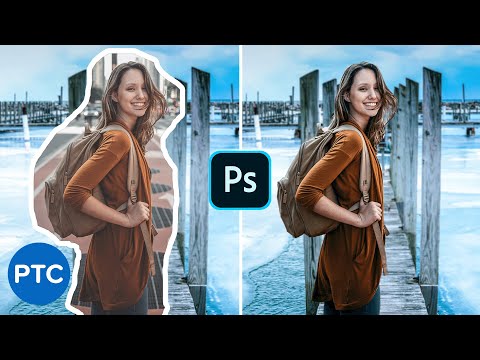
10 Amazing Photoshop MASKING Secrets, Tips, and Tricks (You Probably DON'T Know!)


Photoshop Training Channel
@photoshoptrainingchannelAbout
Photoshop Tutorials for beginners. Hi, I'm Jesus Ramirez! I'm here to help you learn Adobe Photoshop and Lightroom! The Photoshop Training Channel (PTC) has been around since 2012. You will find professional Adobe Photoshop Tutorials for photo manipulation, compositing, retouching, text effects, and much more. I keep the tutorials concise, simple, and fluff-free. PTC's mantra is simple: "just show me how you did that." In my 20-year professional career, I've worked with some of the world's biggest brands, including Adobe, Microsoft, Motorola, and Conde Nast. Most recently, I've worked as a Finisher in the Hollywood industry, creating movie and TV posters for Netflix, HBO, Hulu, and CBS. Follow along with PTC to get accurate, no-hype, honest advice from someone who walks the walk and genuinely wants to help others. I'm here to serve you and help you learn Photoshop. 🙏 Subscribe now, and thank you for watching!

![Flawlessly Remove Dark Eye Circles in Photoshop! [Pro Technique]](https://imgz.pc97.com/?width=500&fit=cover&image=https://i.ytimg.com/vi/REt264jFvqE/hqdefault.jpg)

Video Description
In this Photoshop tutorial, you will learn 10 Photoshop masking tips, tricks, and hacks for better cuts outs that you probably don't know. LINKS: MSI Prestige Laptop ► https://amzn.to/2U3ZggC MSI & Wacom Limited Time Offer : ► https://us.msi.com/Promotion/wacom_special_2020 🎯 SUBSCRIBE to get more amazing Photoshop tutorials! ► https://www.youtube.com/user/photoshoptrainingch?sub_confirmation=1 📘 INDEX - 10 Amazing Photoshop Cut Outs Tips and Tricks! 00:00 - Introduction 01:16 - 01 - Remove Backgrounds with Artificial Intelligence 01:56 - 02 - Minimum and Maximum Filters 04:21 - 03 - Use "Blend If" To Swap Skies 06:09 - 04 - Convert "Blend If" To Transparency 07:44 - 05 - Convert "Blend If" To a Layer Mask 09:08 - 06 - Two-Step Process For Better Hair Cut Outs 12:10 - 07 - Customize a Brush For Cutting Out Fur 17:10 - 08 - A Better Way of Using Color Range 19:29 - MSI Prestige 15 Laptop Details 20:38 - 09 - Layer Mask from a Blending Mode 23:01 - 10 - Layer Masks Keyboard Shortcuts 25:30 - Final Thoughts CREDITS ● Stock Images provided by stock.adobe.com ● Photoshop video tutorials by Jesus Ramirez #PhotoshopTutorial #Photoshop #PTCvids
![Remove Backgrounds In Photoshop 2025 [EASY For Beginners!]](https://imgz.pc97.com/?width=500&fit=cover&image=https://i.ytimg.com/vi/_PNUQDm6lrA/hqdefault.jpg)




![Apply Rim Light In Photoshop [Pro Hollywood Technique Revealed!]](https://imgz.pc97.com/?width=500&fit=cover&image=https://i.ytimg.com/vi/H-z0j2jVka8/hqdefault.jpg)

Unleash Your Masking Magic
AI-recommended products based on this video

Crucial T705 4TB PCIe Gen5 NVMe M.2 SSD - Up to 14,100 MB/s - Game Ready - Internal Solid State Drive (PC) - +1mo Adobe CC - CT4000T705SSD3

Ram Mount Pod HD Vehicle Mount with 18" Aluminum Rod and Round Plate RAM-316-HD-18-202U for Tablets and Small Laptops
