Build Full Stack LLM Chat App with Docker Model Runner, LangChain and Streamlit

Python Simplified
@pythonsimplifiedAbout
Hi everyone! My name is Mariya and I'm a software developer from Sofia, Bulgaria. I film programming tutorials about Computer Science Concepts, GUI Applications, Machine Learning and Artificial Intelligence, Automation and Web Scraping, Data Science and even Math! 🤓 I'm here to help you with your programming journey (in particular - your Python programming journey 😉) and show you how many beautiful and powerful things we can do with code! 💪💪💪

Video Description
In this tutorial, I’ll show you how to build a complete AI assistant app from scratch! 🚀 You’ll learn how to run open-source LLMs locally using Docker’s brand-new Model Runner (via CLI and as a backend service). We will then combine it with a clean, traditional, chat interface using Streamlit (a very quick and simple GUI library!) And the best part is - we will easily switch from chatting with a small local model to a powerful cloud-based model on OpenRouter - all while saving the conversation history so you don’t have to repeat yourself. YES, BOTH MODELS WILL BE AWARE OF THE ENTIRE CONVERSATION! EVEN THE PARTS WHERE IT WASN'T TALKING! 🤯🤯🤯 📦 Tools Used ---------------------------------------------- 🔹 Docker Model Runner 🔹 Langchain 🔹 Streamlit 🔹 OpenRouter 🔹 Docker Compose 🛠️ What You'll Build -------------------------------------------------- 🔹 Local LLM serving with Docker Model Runner 🤖 🔹 A chat GUI with Streamlit 💻 🔹 Memory for past chat messages 💡 🔹 One-click switch to a big cloud model ☁️ 🔹 Fully containerized setup with Docker Compose 🐋 By the end of this video, you’ll have a production-ready AI chatbot 🤖 that runs both locally and in the cloud, with all dependencies packaged in Docker containers! This project is the perfect foundation for more advanced AI apps (coming soon... 😉). 💻 Code and Resources: -------------------------------------------------- ⭐ Full Tutorial Code: https://github.com/MariyaSha/simple_AI_assistant.git ⭐ Docker Model Runner documentation: https://dockr.ly/4nT2saM ⭐ Docker AI Namespace - Find the model you need here: https://dockr.ly/4eTeLQl 🏃♀️➡️ Base URL for Docker Model Runner: -------------------------------------------------- http://model-runner.docker.internal/engines/llama.cpp/v1 ⏰ Time Stamps: -------------------------------------------------- 01:25 - Docker Desktop Setup 02:14 - Docker Model Runner CLI 03:22 - Intro to Building Apps with Docker 04:30 - Basic App with Docker Compose [CLI] 08:39 - Docker Model Runner in Docker Compose and Langchain 11:19 - Chat App GUI with Streamlit 18:02 - Store Chat History in User Sessions 21:57 - LLM Chat Context 23:26 - Run Cloud LLM via OpenRouter 28:42 - Best Practices 30:04 - Thanks for Watching! 🎥 Related Videos: -------------------------------------------------- ⭐ Docker Quickstart for Beginners: https://youtu.be/-l7YocEQtA0 ⭐ WSL Setup: https://youtu.be/luM5kwH6tjQ If you find this tutorial helpful, don’t forget to like 👍 subscribe 🔔 and drop your questions in the comments 💌. Happy coding! 🎯 The Workflow: -------------------------------------------------- 1. A step by step pipeline of bringing the chat app to life. 2. How to install and enable Docker Model Runner. 3. Creating a minimal Python + Docker app. 4. Setting up Docker Compose with local model services. 5. Building a Streamlit chat interface. 6. Storing and passing conversation context. 7. Connecting to OpenRouter for large models. 8. Best practices for environment variables, requirements, and healthchecks. 🤝 Let's Connect 🤝 -------------------------------------------------- 🔗 Github: https://github.com/mariyasha 🔗 X: https://x.com/MariyaSha888 🔗 LinkedIn: https://ca.linkedin.com/in/mariyasha888 🔗 Blog: https://www.pythonsimplified.org 🔗 Discord: https://discord.com/invite/wgTTmsWmXA 💳 Credits 💳 -------------------------------------------------- - beautiful icons by FlatIcon - beautiful graphics by Freepik #python #docker #pythonprogramming #LLM #LangChain #LocalLLM #Streamlit #AgenticAI #coding #software #ai





Craft Your AI Chat App Today
AI-recommended products based on this video
![[2025 New Version] CuleedTec Wireless Switch Controller, Switch Pro Controller Compatible with Switch/Lite/OLED, Manette Switch Remote Gamepad with 6-Axis Gyro, Dual Motors, Wake-up and Turbo](https://m.media-amazon.com/images/I/71Sq3ZaerNL._AC_UL960_FMwebp_QL65_.jpg)
[2025 New Version] CuleedTec Wireless Switch Controller, Switch Pro Controller Compatible with Switch/Lite/OLED, Manette Switch Remote Gamepad with 6-Axis Gyro, Dual Motors, Wake-up and Turbo
![Samsung 9100 PRO Series - 4TB PCIe 5.0 x4, NVMe 2.0, M.2 Internal SSD, Up to 14,800MB/s, Fast Speed, Thermal Contorl, MZ-VAP4T0B/AM [Canada Version]](https://m.media-amazon.com/images/I/71qygJIcKnL._AC_UL960_FMwebp_QL65_.jpg)
Samsung 9100 PRO Series - 4TB PCIe 5.0 x4, NVMe 2.0, M.2 Internal SSD, Up to 14,800MB/s, Fast Speed, Thermal Contorl, MZ-VAP4T0B/AM [Canada Version]
![SAMSUNG 990 PRO SSD 4TB PCIe Gen4 NVMe M.2 Internal Solid State Hard Drive, Up to 7,450MB/s, Heat Control, Direct Storage and Memory Expansion, MZ-V9P4T0B/AM [Canada Version]](https://m.media-amazon.com/images/I/81WuG6lQuDL._AC_UL960_FMwebp_QL65_.jpg)
SAMSUNG 990 PRO SSD 4TB PCIe Gen4 NVMe M.2 Internal Solid State Hard Drive, Up to 7,450MB/s, Heat Control, Direct Storage and Memory Expansion, MZ-V9P4T0B/AM [Canada Version]

Seasonic Focus V4 GX-1000 (ATX3) - 1000W - 80+ Gold - ATX 3.0 & PCIe 5.1 Ready -Full-Modular -ATX Form Factor -Premium Japanese Capacitor -10 Year Warranty -Nvidia RTX 30/40 Super & AMD GPU Compatible
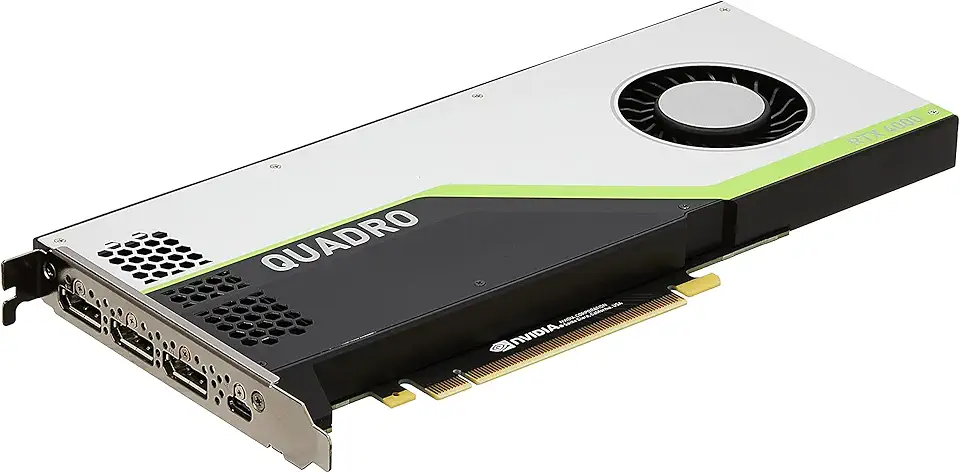
PNY NVIDIA Quadro RTX 4000 - The World’S First Ray Tracing GPU

【DDR3 RAM Laptop Only】 GIGASTONE 16GB Kit (2x8GB) DDR3/DDR3L 1600MHz (1333MHz) PC3-12800 (PC3-10600) CL11 1.35V/1.5V 2Rx8 SODIMM 204 Pin Unbuffered Non ECC High Performance Notebook Memory Upgrade
