Everything Routers do - Part 2 - How Routers forward Packets - Networking Fundamentals - Lesson 5

Practical Networking
@practicalnetworkingAbout
If you’ve been in the Network Engineering career field for any small amount of time, then you’ve probably been frustrated at how difficult it was to find articles and videos that were reliable, thorough, and understandable. You found articles that were very entry level, that perhaps gave simple definitions but did not communicate enough to explain how technologies actually worked. You found articles that were overly detailed, that went into so much minutia that the original point would be lost. The intent of the blog and video channel is to bridge that gap — providing the happy, practical medium between overly simplistic and overly detailed. PracNet teaches in a manner that is accessible, easy to learn, and easy to pass on. By presenting complex technology simply, PracNet provides practical, immediately applicable, knowledge of the Network Engineering industry.
Latest Posts



Video Description
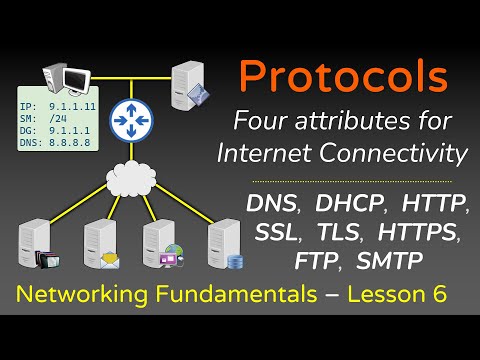
Routing is the process of moving data between networks. A Router is merely a device whose primary purpose is Routing. In this video, we'll show you every step that occurs for hosts to communicate through Routers. You'll see how each Router uses their Routing Table and ARP table in order to forward packets. This video is a continuation of Part 1, which should be watched before watching this video: https://www.youtube.com/watch?v=AzXys5kxpAM === Networking Fundamentals - Module 1 === Lesson 1 - Network Devices Part 1: https://youtu.be/bj-Yfakjllc Part 2: https://youtu.be/H7-NR3Q3BeI Lesson 2 - OSI Model Part 1: https://youtu.be/LkolbURrtTs Part 2: https://youtu.be/0aGqGKrRE0g Lesson 3 - Everything Hosts to do speak on the Internet Part 1: https://youtu.be/gYN2qN11-wE Part 2: https://youtu.be/JI9Zm2tbUoE Lesson 4 - Everything Switches do to facilitate communication Part 1: https://youtu.be/AhOU2eOpmX0 Part 2: https://youtu.be/G7GyWjJtjNs Lesson 5 - Everything Routers do to facilitate communication Part 1: https://youtu.be/AzXys5kxpAM Part 2: https://youtu.be/Ep-x_6kggKA Part 3: https://youtu.be/zmxLg4jV0ts Lesson 6 - Networking Protocols - https://youtu.be/E5bSumTAHZE - ARP, FTP, SMTP, HTTP, SSL, TLS, HTTPS, DNS, DHCP - Four items MUST be configured for Internet Connectivity Lesson 7 - How Data moves through the Internet - https://youtu.be/YJGGYKAV4pA - Interview question: What happens when you type "site.com" into a web browser? --- If you enjoyed this content, then please tell one other person about this series. At the end of the day, sharing this content is the best way you can thank me and return the favor for this free content. You can get free Internet Points (Karma, Likes, etc) by simply sharing this content across social media communities. =) Thank you. --- 🖧 Full Networking Fundamentals series (Module 1 - all FREE): https://www.youtube.com/playlist?list=PLIFyRwBY_4bRLmKfP1KnZA6rZbRHtxmXi 📇 Details about the Full Networking Fundamentals Course: https://www.practicalnetworking.net/index/networking-fundamentals-how-data-moves-through-the-internet/ 📜 Studying for your CCNA? https://www.practicalnetworking.net/index/ccna/ 🧮 Want to learn Subnetting? https://SubnetIPv4.com 🔐 Want to learn about SSL, TLS, and Cryptography? https://www.youtube.com/playlist?list=PLIFyRwBY_4bTwRX__Zn4-letrtpSj1mzY 📖 Other Courses: https://classes.pracnet.net/ 💬 Discord: https://discord.com/invite/yrexngJ #networking #ccna #network #osi #switches #routers 00:00 - Start 00:19 - Part 1 review 00:57 - Routers have ARP Tables 02:22 - ARP Tables start out Empty 02:55 - Packet from Host A to Host C 09:08 - Response from Host C to Host A 12:14 - Process is identical for Internet Routers 13:48 - Network Fundamentals - Full Course - Details




Boost Your Network Setup
AI-recommended products based on this video

TP-Link AC1300 USB WiFi Adapter (Archer T3U) - 2.4G/5G Dual Band Wireless Network Adapter for PC Desktop, MU-MIMO WiFi Dongle, USB 3.0, Supports Windows 11/10/8.1/8/7/XP, Mac OS 10.9-10.14

TP-Link WiFi 6 AX3000 PCIe WiFi Card Archer TX55E - Bluetooth 5.2, 802.11AX Dual Band Wireless Adapter with MU-MIMO, OFDMA, Ultra-Low Latency, Supports Windows 11, 10 (64bit) only

TP-Link AC1300 High Gain WiFi USB Adapter (Archer T4U)- Dual Band Wireless Network Adapter for Desktop with 2.4GHz/5GHz High Gain Antennas, MU-MIMO, Support Windows 10/8.1/8/7/XP, Mac OS

TP-Link Mini - AC600 USB 2.0 Wifi Adapter (Archer T2U Nano) - 2.4G/5G Dual Band Wireless Network Adapter for PC Desktop, Mini Travel Size, Supports Windows 11/10/8.1/8/7/XP, Mac OS 10.9-10.15
