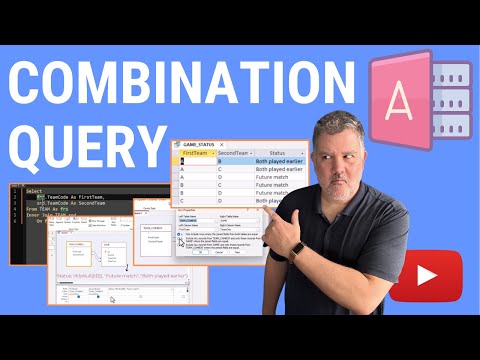
How to Make a Combination Query in Microsoft Access

Sean MacKenzie Data Engineering
View ChannelAbout
Sean MacKenzie, MSc. (Data Engineering) I want to give you the *power* of data engineering, so that you can solve problems, automate your world, and level up your career and self-confidence. I have over 20 years of experience in most aspects of data and its usage in small and large organizations. This includes extensive experience in data engineering, data application development, data modeling & architecture, analytics, and data science methods. My experience is in the manufacturing, aerospace, health, transportation, insurance, finance, logistics, and retail industries. I built mission-critical solutions for over 35 government and private companies across Canada and the United States. These include 7 hospitals, 6 health authorities, 6 manufacturers including 3 aerospace manufacturers, 3 insurance companies, and 2 crown corporations. I enjoyed mentoring my clients' staff, university students, my own staff, busy professionals, and many others. Now I want to mentor you! Enjoy!
Latest Posts


Video Description
In this episode, we take a look at how to make combinations between items in a table, using sports teams as an example. If you have n teams in your league, how can you make a query that shows you a single game between each team with every other team? If you are in a manufacturing context where every part must have an operation with every other part in a set, how can you show that? A combination query can do this for you, and it is quite a powerful tool for many use-cases requiring a binomial coefficient solution. While this problem (and associated use cases) can be solved with looping or recursion, today, we'll explore how to do this with a query in Microsoft Access. Block spammers from harassing your Remote Desktop, filling your Windows security logs with failed RDP attempts, and burning up your bandwidth with my BZ RDP Cloaker: https://buy.billzone.com/bzrdpcloaker.html Check out my easy time entry system for your business: https://system.billzone.com/billzone Join me on Patreon! https://www.patreon.com/mackenziedataengineering Check out some tech (and support my channel!): https://www.amazon.ca/shop/seanmackenziedataengineering Want the code from this video? http://mackenziemackenzie.com/downloads Interested in transforming your career or finding your next gig? https://system.billzone.com/careers.html Want my team to do a project for you? Let's get to it! https://buy.billzone.com/smdeprojects.html Contact form you can find at http://www.mackenziemackenzie.com/ Follow me on social media: https://www.facebook.com/mackenziedataanalytics https://twitter.com/seamacke https://www.instagram.com/seamacke/ https://www.reddit.com/user/seamacke https://www.linkedin.com/in/psmackenzie/ Get Microsoft Office including Access: https://click.linksynergy.com/fs-bin/click?id=BdGJecFFM8A&offerid=1160033.10004289&type=3&subid=0 Got a YouTube Channel? I use TubeBuddy, it is awesome. Give it a try: https://www.tubebuddy.com/seanmackenziedataengineering #msaccess #dataengineering
Master Access: Essential Tools
AI-recommended products based on this video
